Under Optional settings, expand Deadlines and reminders.
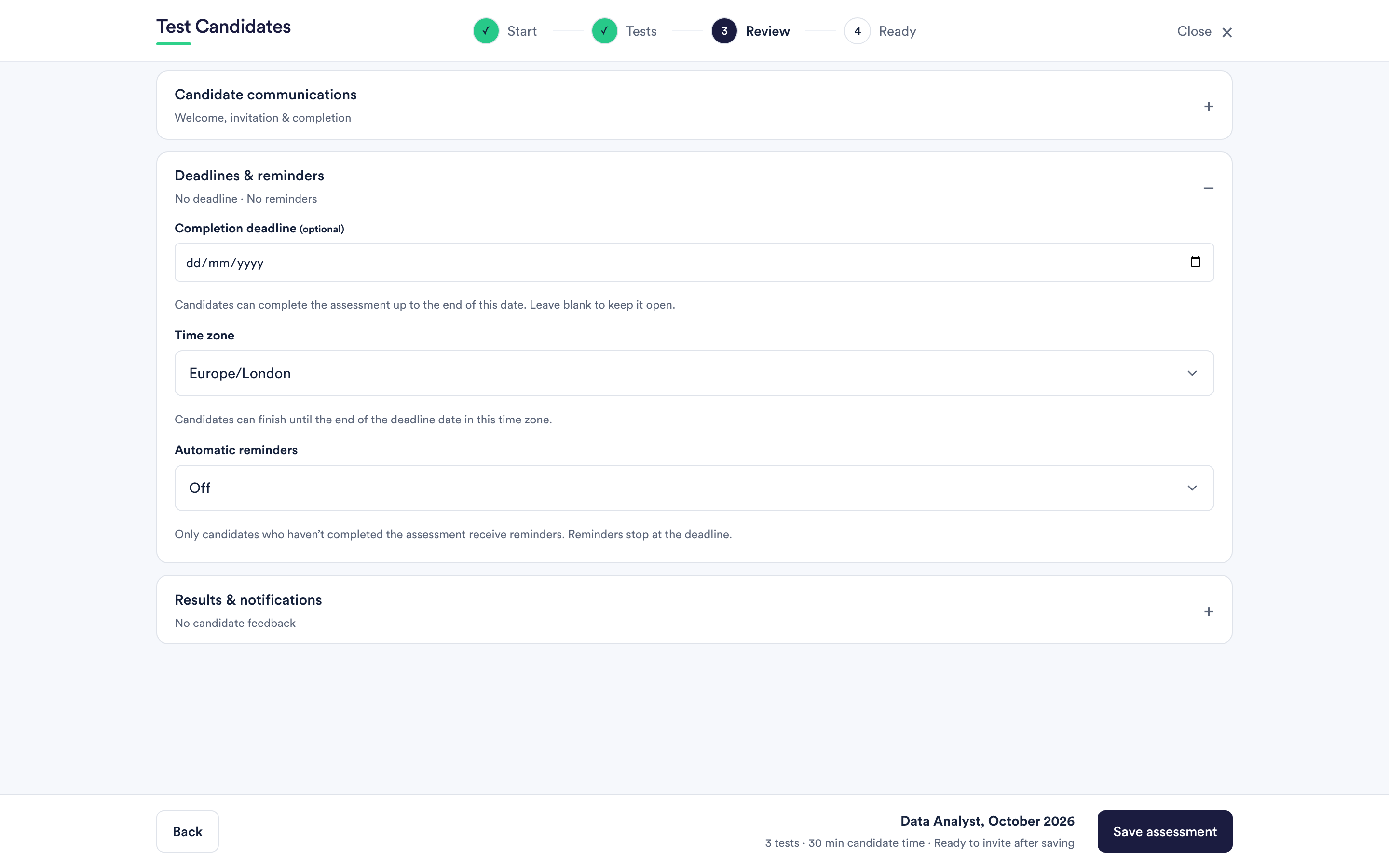
The completion deadline
Optional. Set a date and candidates can complete the assessment up to the end of that day. Leave it blank and the assessment stays open indefinitely.
A deadline is about your process, not about the test. It does not shorten anybody's clock and it does not interrupt someone mid-test.
The time zone a deadline uses
You choose one, and it applies to everyone. A candidate in another country finishes by the end of your deadline date in your chosen zone, not theirs.
If you are hiring internationally and the deadline is tight, that difference is real. Set the zone deliberately rather than leaving the default, and consider saying the date and zone in your invitation message.
Automatic reminders
Four choices: off, three days after invitation, seven days after invitation, or both.
Two things worth knowing:
- Only candidates who have not completed the assessment receive them. Nobody is chased for something they have already done.
- Reminders stop at the deadline. They do not carry on nagging people who can no longer take part.
Reminders are counted from the invitation, so a candidate invited late gets theirs late. They only apply to people you invited by email; someone who found your assessment through a shared link has no invitation to be reminded of.
What happens after the deadline
The link stops accepting new candidates and unfinished candidates cannot resume. A candidate who asks for more time can be given it: extend the deadline on the assessment and their link works again. See edit an assessment after candidates have started.
Results already submitted are unaffected by a deadline passing.
Sending a reminder yourself
You do not have to wait for the automatic ones. Any candidate row has Send reminder, which emails them immediately. See send a reminder or resend an invitation.