If you know the role but not which tests measure it, start here. Get help choosing on the first builder step opens a searchable catalogue of job roles, each with a suggested set of tests.
Finding your role in the catalogue
Type the job title. The catalogue matches on title and on role family, so searching for a title close to yours usually finds something workable even when your exact wording is not there.
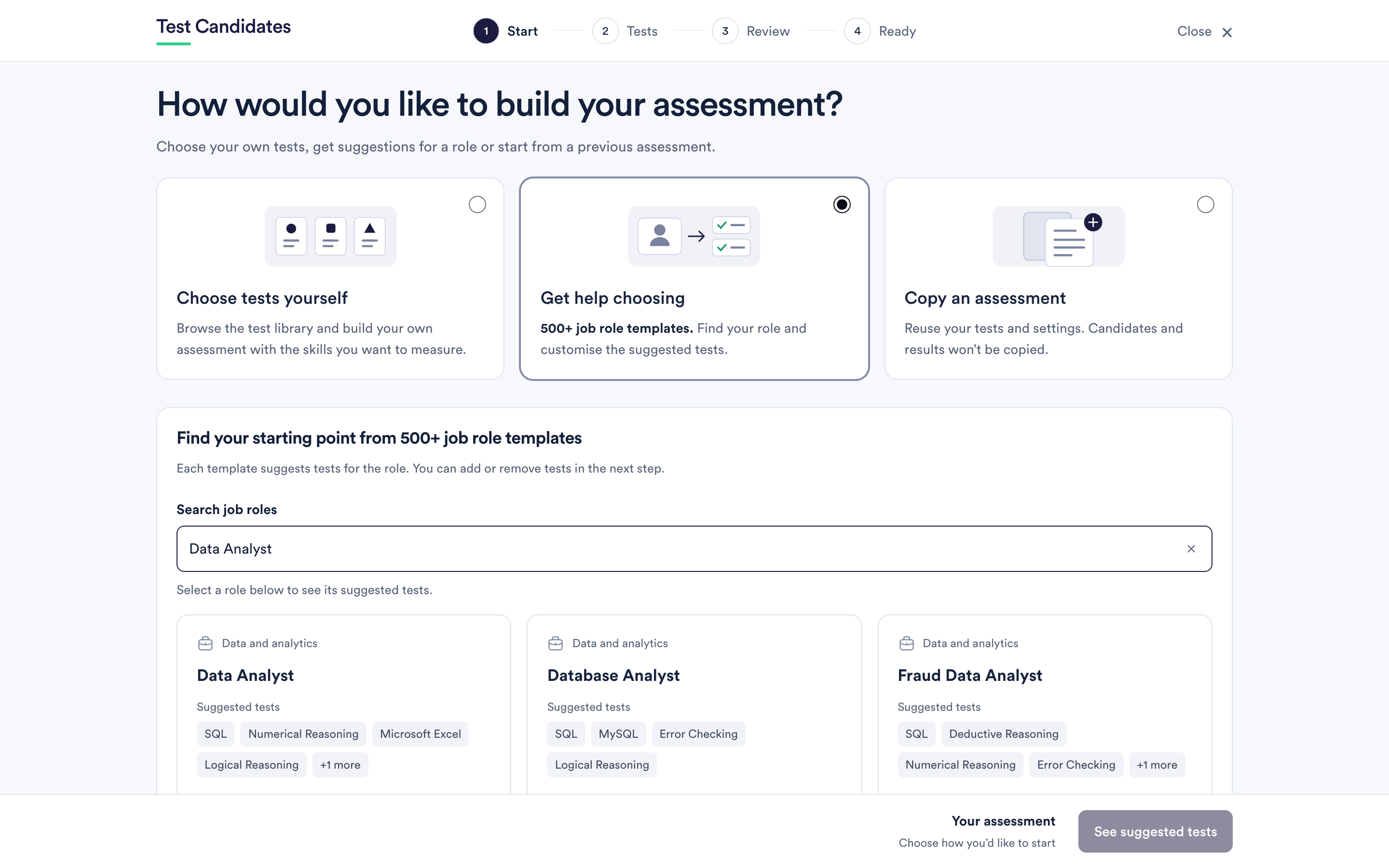
Each card shows the role, its family, how many tests it suggests and how long they take together. Open one to see the tests it proposes.
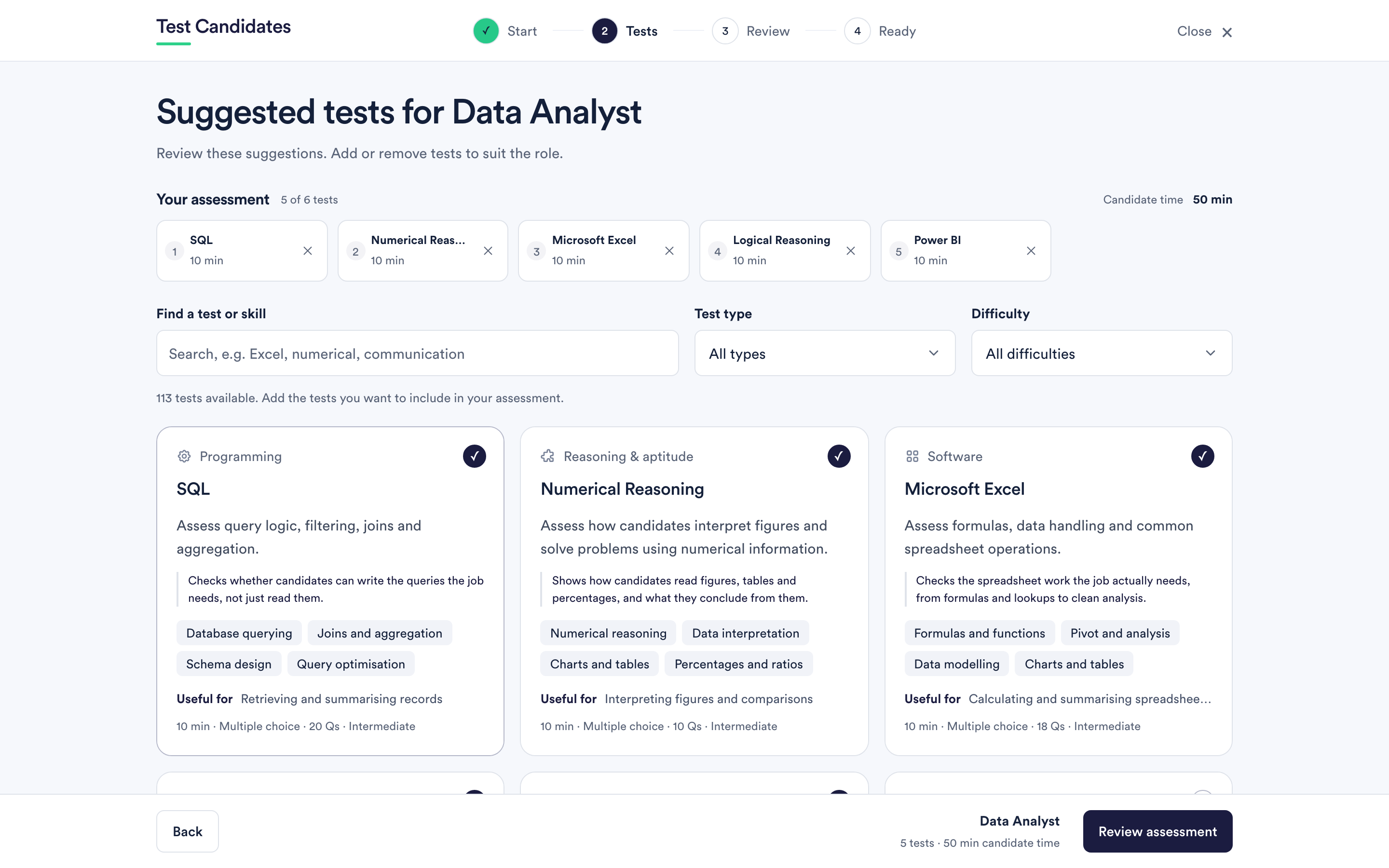
What the suggestions are, and are not
They are a starting point put together from the demands the role usually has. They are not a validated battery for your specific job, and picking a template does not mean the tests predict performance in your company. Nothing in the product claims that, and neither should you when you explain the process to candidates.
Treat the template as a first draft by someone who knows the test library and does not know your role.
Changing the tests a template suggests
The next step is the ordinary test-choosing step, with the template's tests already selected. Add anything the role needs that the template missed, and remove anything that does not earn its place. A suggestion you keep because it was suggested is a test your candidates sit for no reason.
Two changes worth considering every time:
- Difficulty. Templates pick a middle level. If you are hiring graduates or hiring specialists, change it. See difficulty levels and how to pick one.
- Length. Templates are not tuned to your drop-out tolerance. See how many tests to include.
The assessment name a template gives you
The role title becomes the assessment name automatically. You can rename it on the Review step, and it is worth doing if you run the same role more than once.
If role suggestions are unavailable
Occasionally the catalogue does not load and the builder says so, then drops you into choosing tests yourself. Everything else works normally; try the template route again later if you want it.