An assessment has a life after you build it. These are the three things you will want to do to it.
The controls are in two places, and it is worth knowing which is which:
- The assessment page, under More: rename, try it yourself, export results, archive.
- Its row on the assessments list, under the actions menu: preview as a candidate, edit tests, rename, duplicate, archive.
Duplicating is only on the list row. Exporting is only on the assessment page.
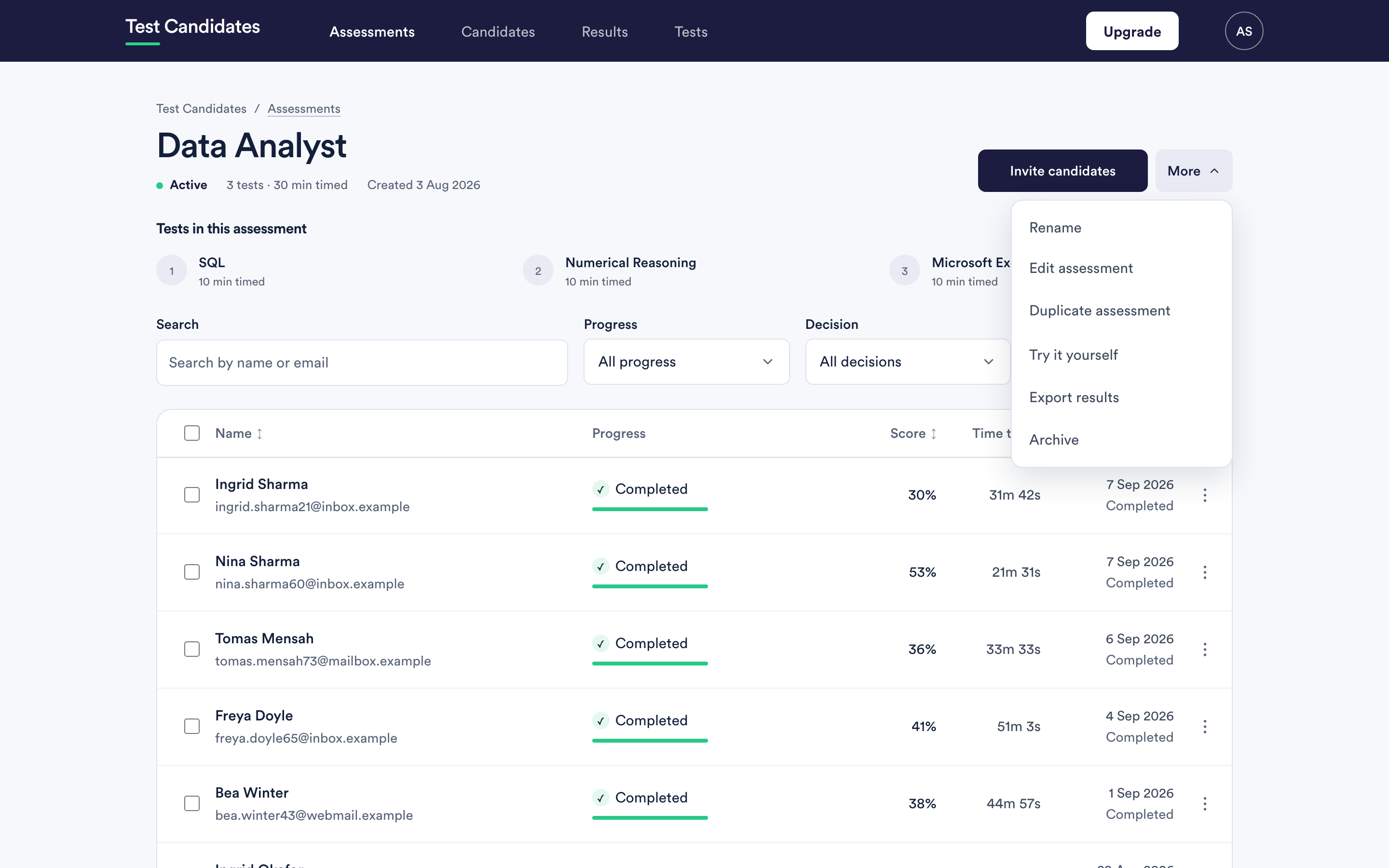
Editing an assessment
From the assessments list, open the row's actions menu and choose Edit tests. You get the builder again, starting at the name.
Before the first candidate takes a test, everything is editable: the name, the tests, their order and every setting.
Once a candidate has taken a test, the tests and their order lock. The builder says so and shows them read-only. You can still change:
- the name
- the deadline and the time zone
- reminders
- timing and individual adjustments
- integrity checks
- the messages candidates receive
- who is notified
The lock exists because candidates who have already finished took a different assessment from the one you would be creating. Comparing the two groups would be comparing different things, and the product will not quietly let you do it.
If you need different tests, duplicate the assessment instead and invite the remaining candidates to the copy.
Duplicating an assessment
Duplicate, on the assessments list row, creates a new assessment with the same tests and settings. It is the right move for the same role in a different location, the next hiring round, or a variant you want to try.
What comes across: the tests, their order and the settings. What does not: candidates, invitations and results. The copy starts empty, with its own new link.
Set a fresh deadline on the copy if the original had one. An inherited date that has already passed is the most common surprise here.
Renaming an assessment
Rename is on both menus and works at any time. Candidates do not see the assessment name change mid-flight in a way that matters, but the name does appear in their invitation email, so renaming after invitations have gone out leaves the two out of step.
Archiving an assessment
Archive is on both menus, and it closes an assessment. Its link stops accepting new candidates, the row moves to the Archived filter, and everything you already have stays readable: candidates, results, reports and exports.
Archive when a role is filled. It is the tidy way to stop a link you have put in a job advert from collecting people you no longer want to assess.
You can unarchive it later if the role reopens.
Deleting an assessment
There is no delete. Archiving is the end of the road for an assessment, which keeps the results of everyone who took it honest and available. If you need something genuinely removed, email support@testcandidates.com and say what and why.