Building an assessment
Choose tests, set difficulty, add your own questions.
-
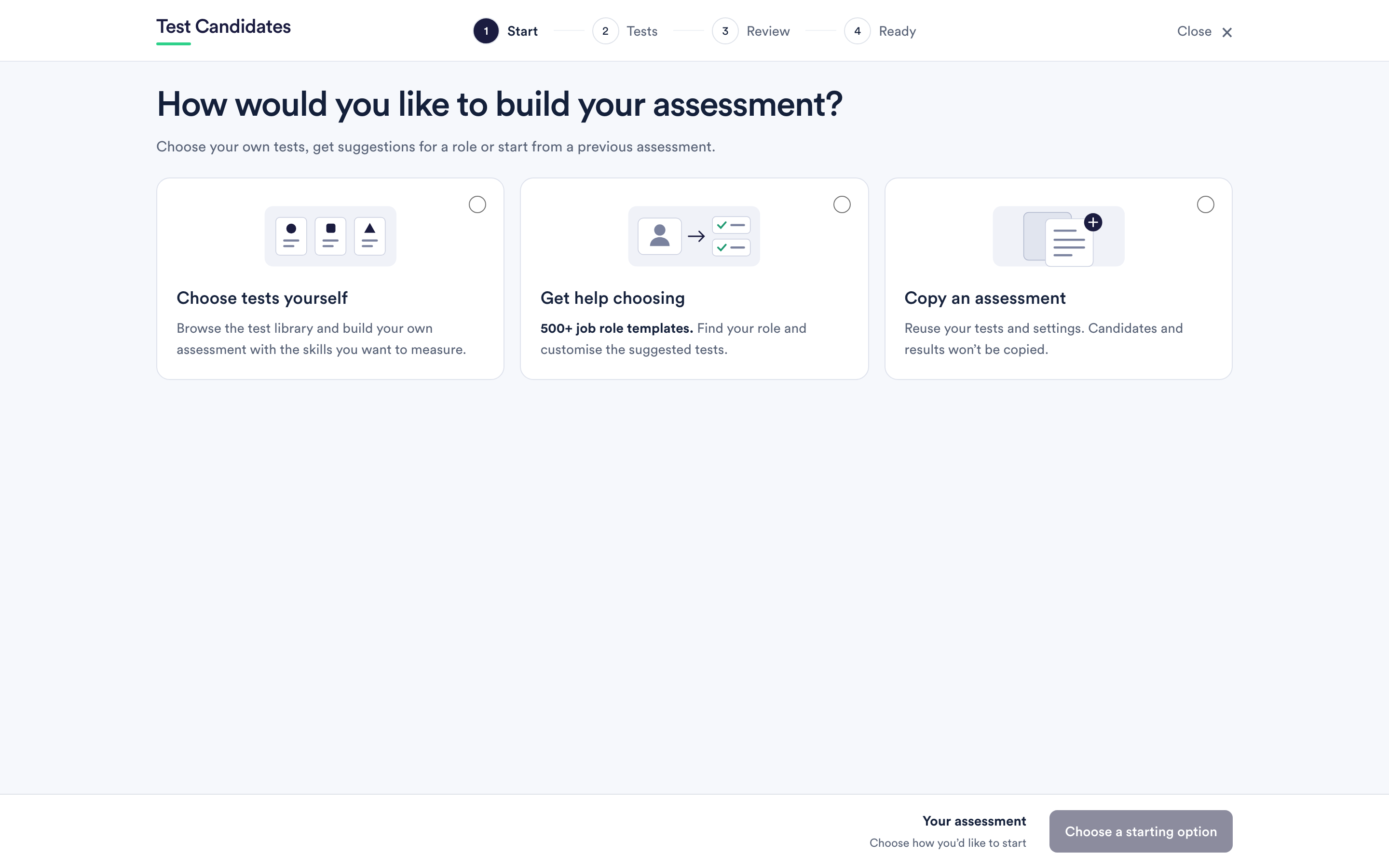 Create an assessment
The four steps of the builder, the three ways to start, and what you can change later.
Create an assessment
The four steps of the builder, the three ways to start, and what you can change later.
-
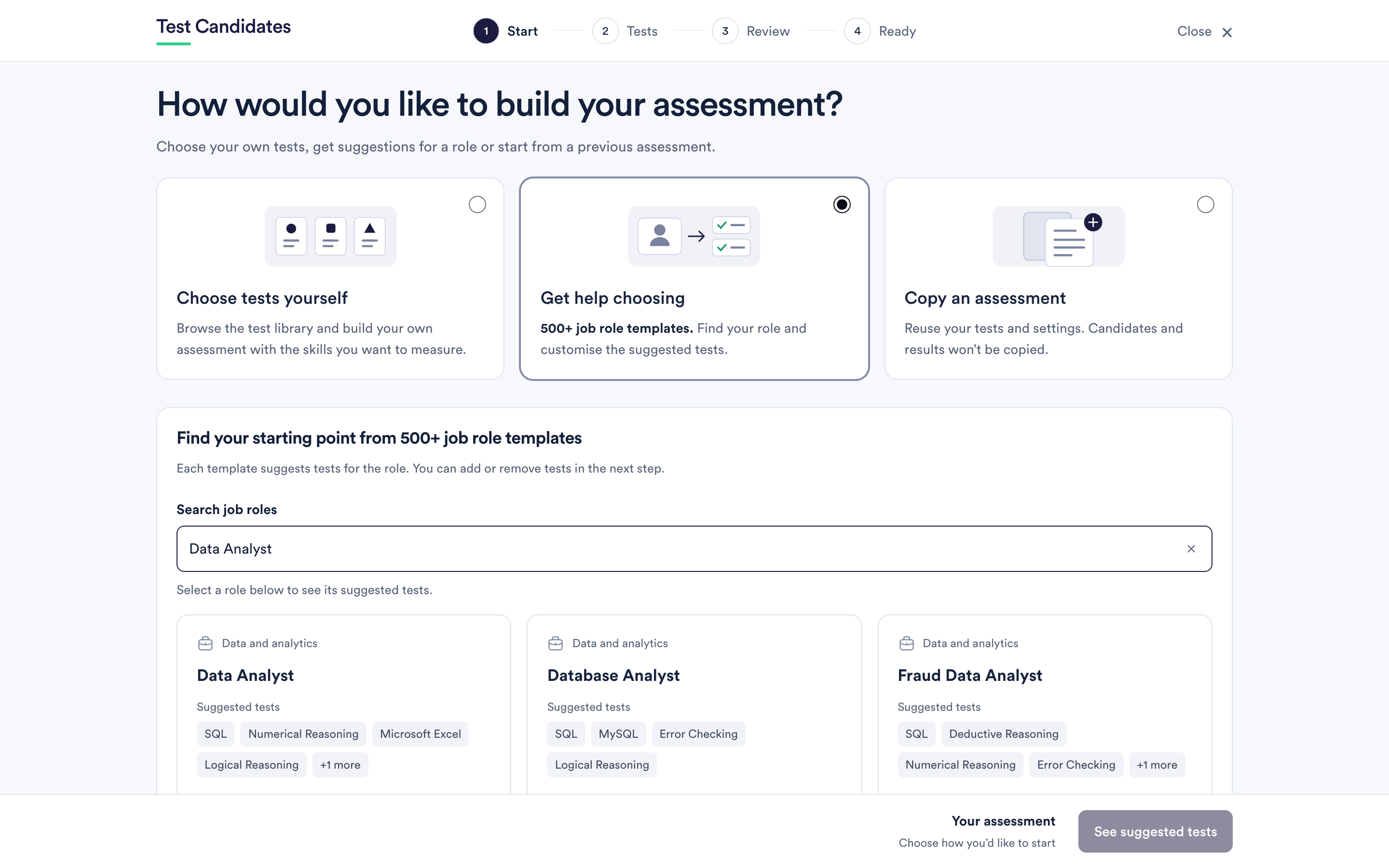 Start from a job role template
What the templates are, how the suggestions are made, and why you should still change them.
Start from a job role template
What the templates are, how the suggestions are made, and why you should still change them.
-
Build an assessment from a job advert
Describe the role or paste the advert, and the builder suggests tests and drafts questions you can edit.
-
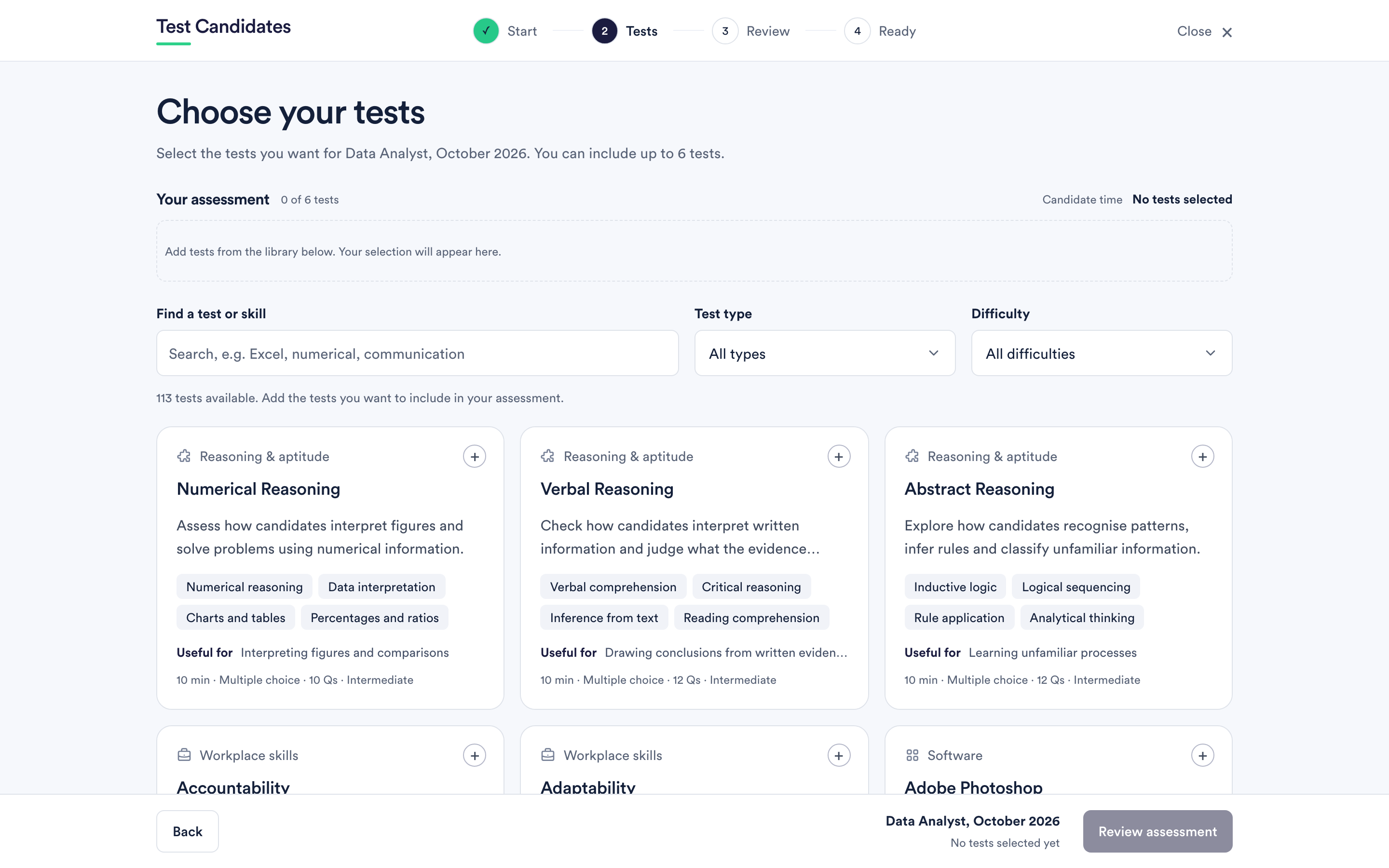 Choose tests from the library
How to search and filter the library, what the information on each card means, and how to preview a test before you include it.
Choose tests from the library
How to search and filter the library, what the information on each card means, and how to preview a test before you include it.
-
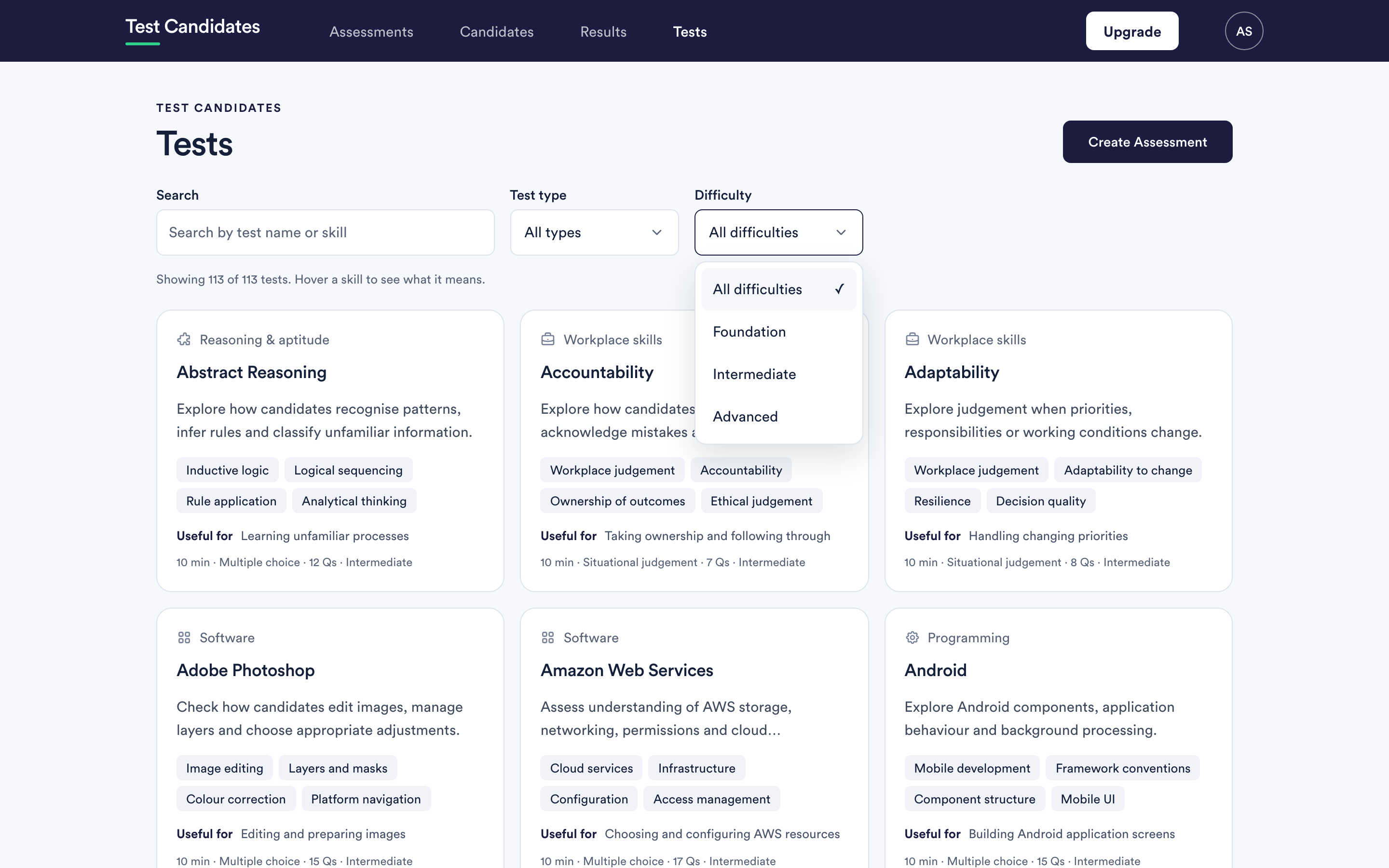 Difficulty levels, and how to pick one
What Foundation, Intermediate and Advanced actually mean, what they are not, and how to choose between them.
Difficulty levels, and how to pick one
What Foundation, Intermediate and Advanced actually mean, what they are not, and how to choose between them.
-
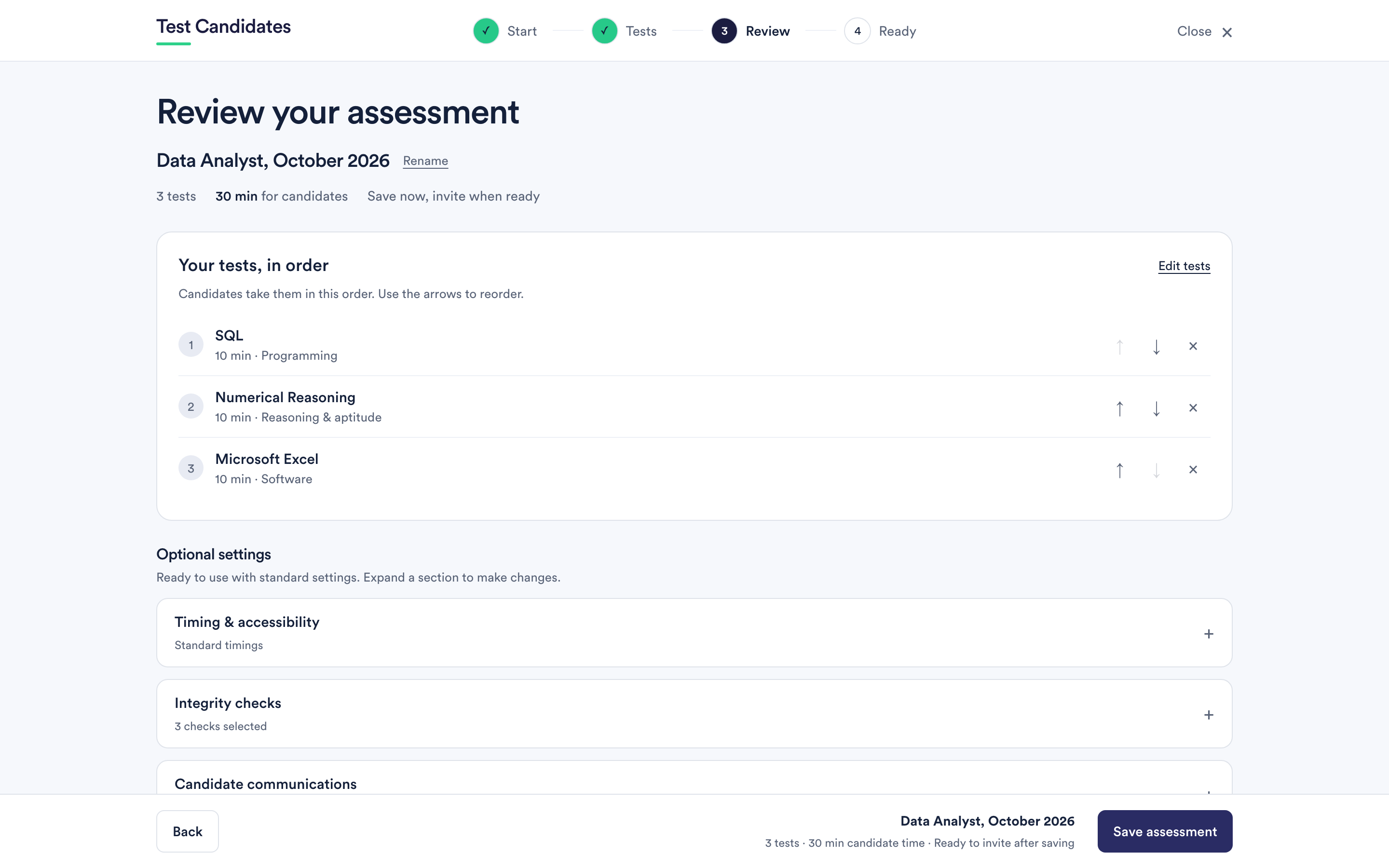 How many tests to include
The trade-off between evidence and drop-out, and a way of deciding that does not come down to taste.
How many tests to include
The trade-off between evidence and drop-out, and a way of deciding that does not come down to taste.
-
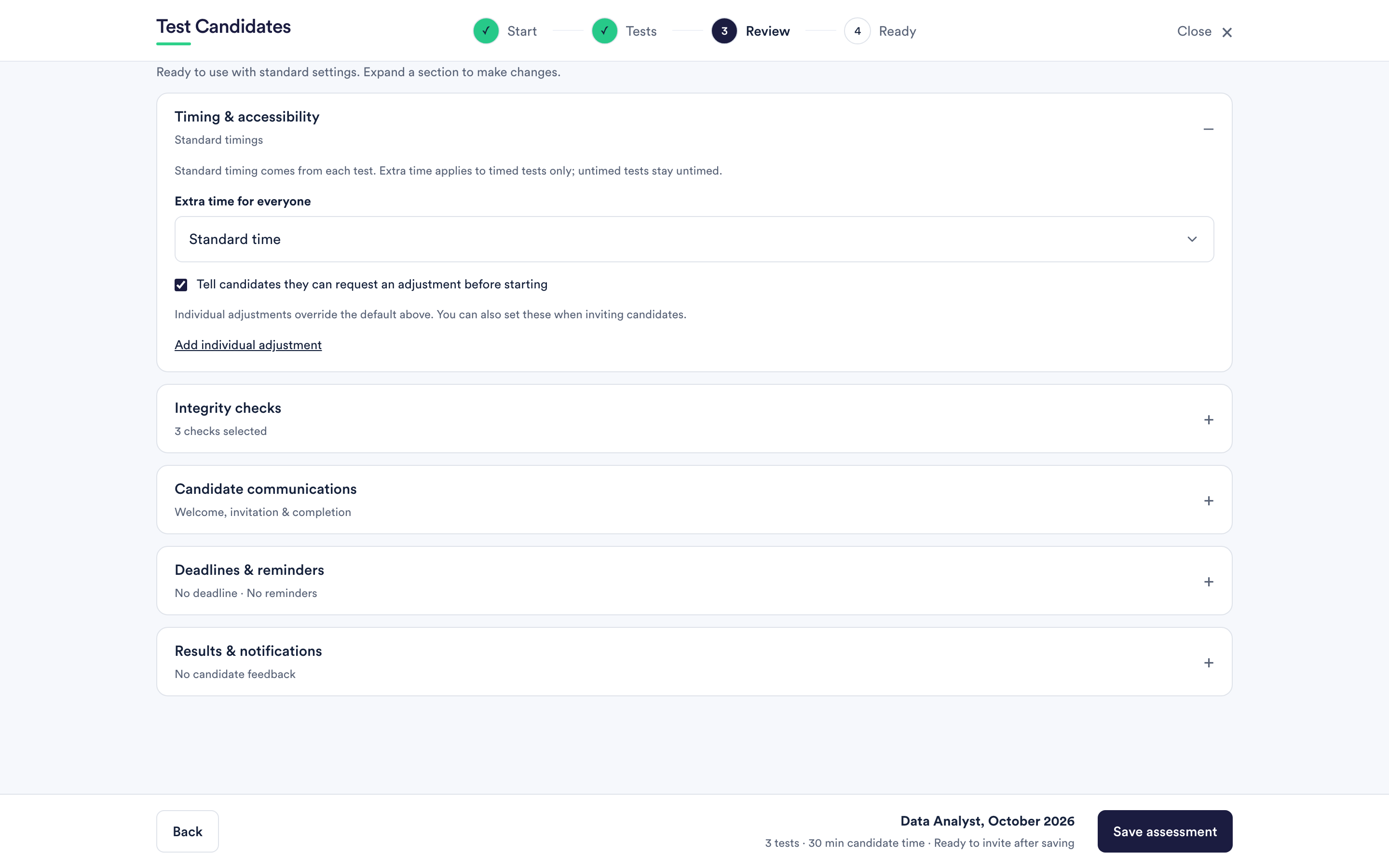 Timing, extra time and adjustments
Where a test's time limit comes from, how to give extra time to everyone or to one person, and how to invite candidates to ask.
Timing, extra time and adjustments
Where a test's time limit comes from, how to give extra time to everyone or to one person, and how to invite candidates to ask.
-
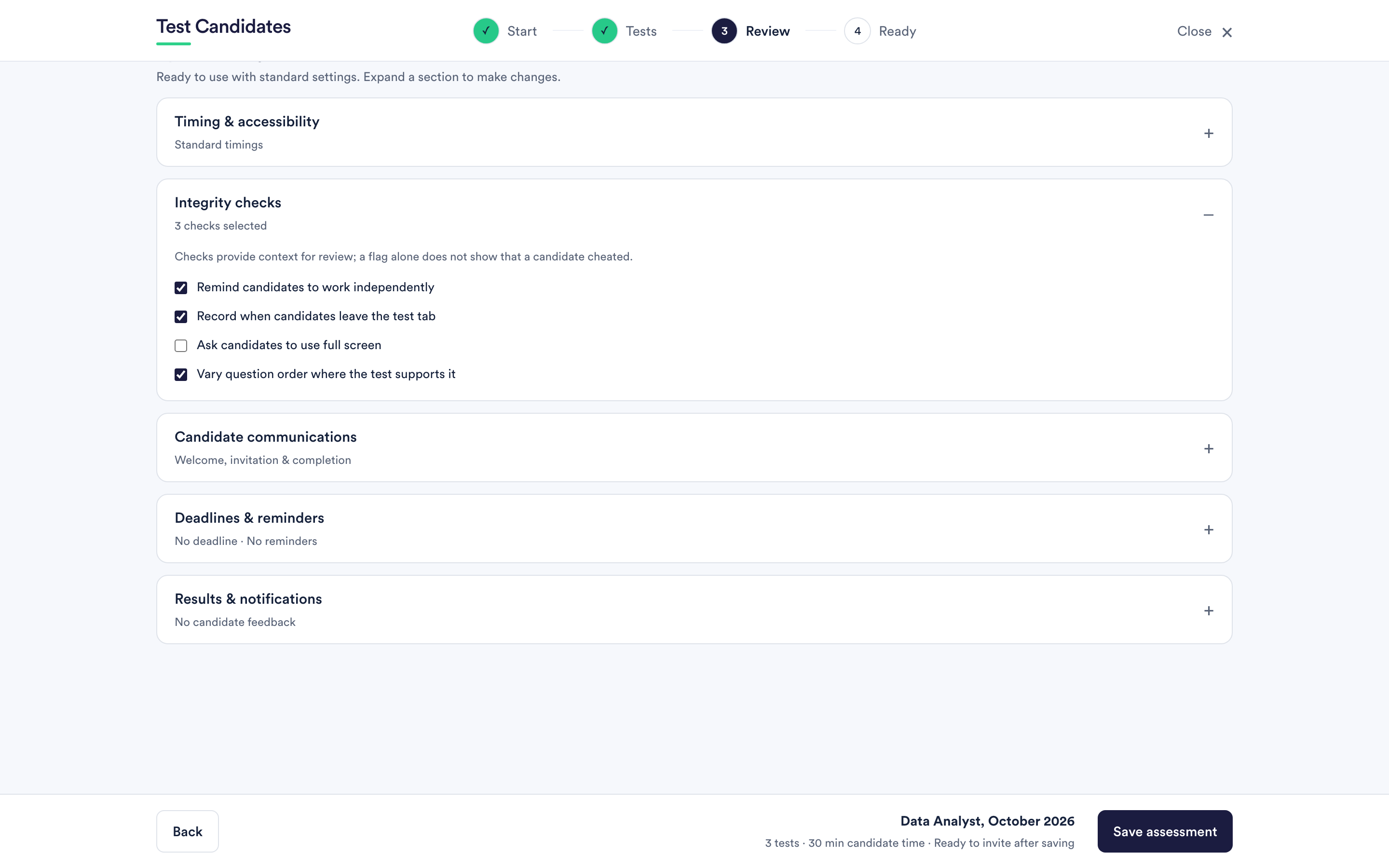 Integrity checks
What every test does to discourage cheating, the checks you can turn on, what the report shows at the top and in the panel, the warning signs, camera photos, and the limits of all of it.
Integrity checks
What every test does to discourage cheating, the checks you can turn on, what the report shows at the top and in the panel, the warning signs, camera photos, and the limits of all of it.
-
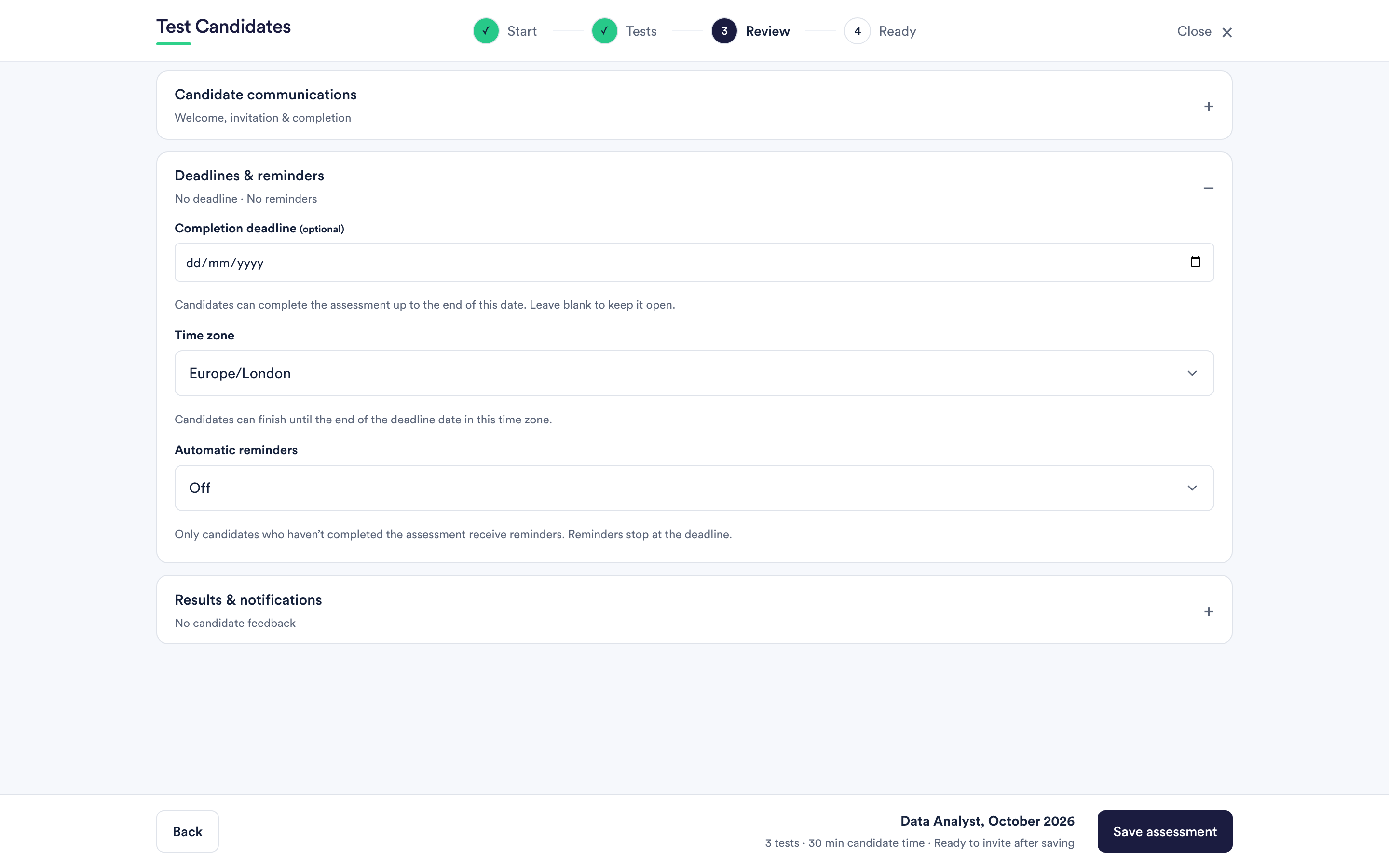 Deadlines and reminders
How a completion deadline works, which time zone it uses, when reminders go out and who gets them.
Deadlines and reminders
How a completion deadline works, which time zone it uses, when reminders go out and who gets them.
-
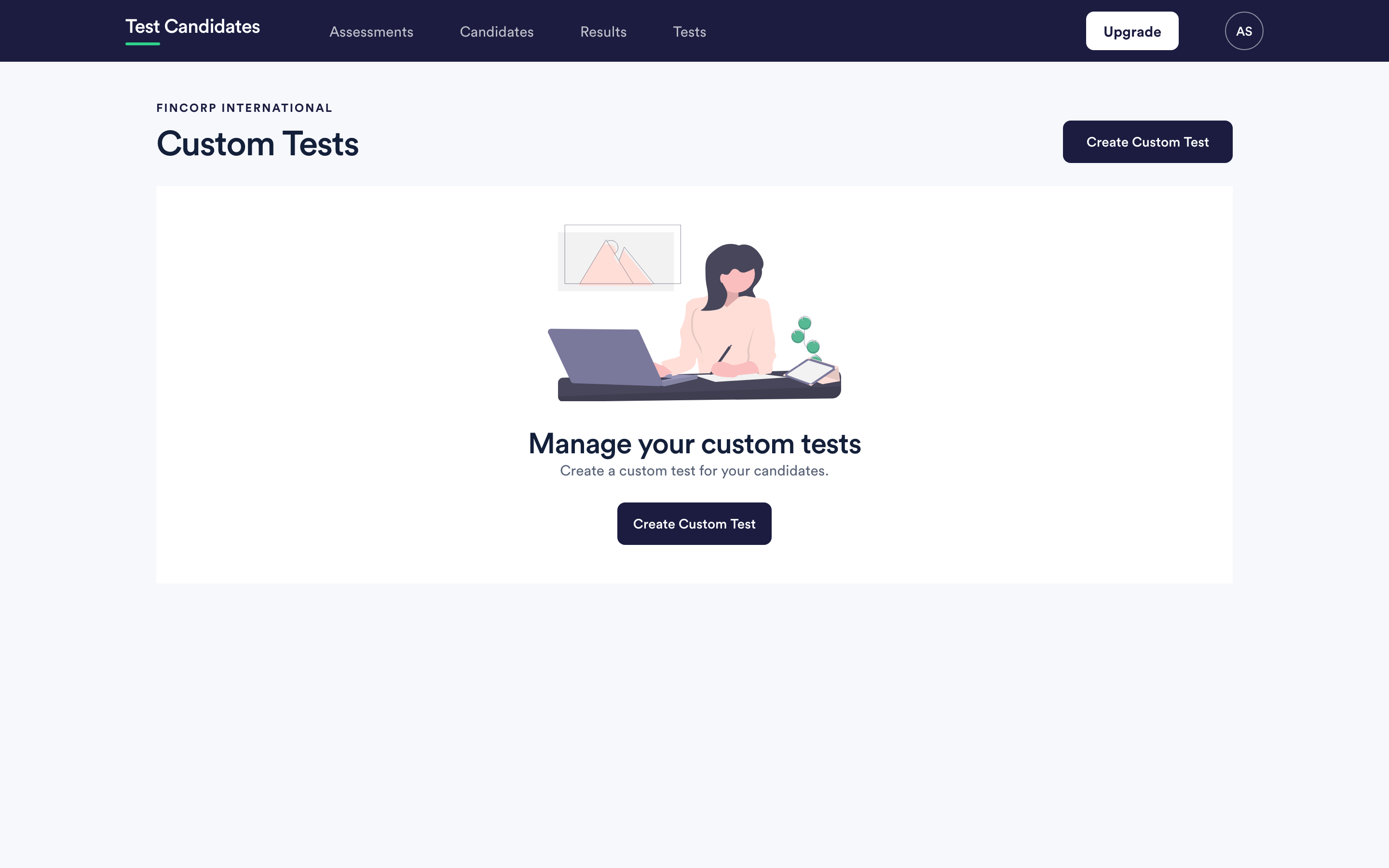 Build a custom test
How to write your own multiple-choice test, where to find the builder, and what it can and cannot do.
Build a custom test
How to write your own multiple-choice test, where to find the builder, and what it can and cannot do.
-
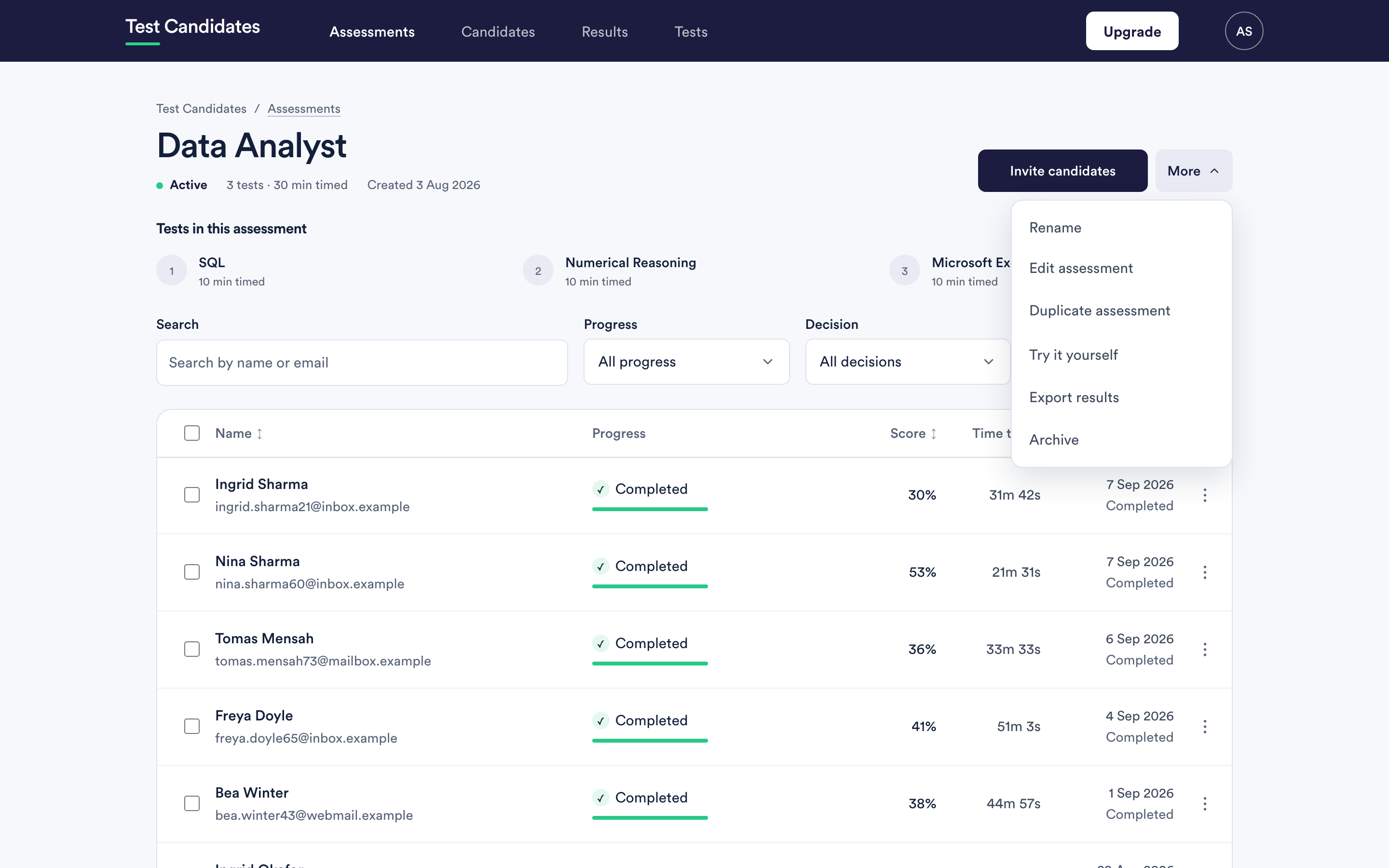 Edit, duplicate or archive an assessment
What locks once candidates have started, how a copy differs from the original, and what archiving does to a live link.
Edit, duplicate or archive an assessment
What locks once candidates have started, how a copy differs from the original, and what archiving does to a live link.