A completed test produces a result. That result becomes readable when it is unlocked for your organisation, and unlocking is the moment a candidate counts against your allowance or your balance.
When results unlock by themselves
Most of the time you never see this. A result unlocks automatically, shortly after the candidate submits, if any of these is true:
- you still have free candidate results, or
- you have a prepaid balance, or
- you have a card saved for usage billing.
They are used in that order: free allowance first, then prepaid balance, then pay as you go.
When a result waits
If none of the three applies, the result waits and the score shows as Locked.
Nothing is lost. The candidate has finished, their answers are stored, and the result unlocks the moment you have a way to pay for it. Results already unlocked stay unlocked and readable.
Releasing what is waiting
Add a card or buy a pack on billing and usage, and waiting results are released. You can also unlock a selection directly:
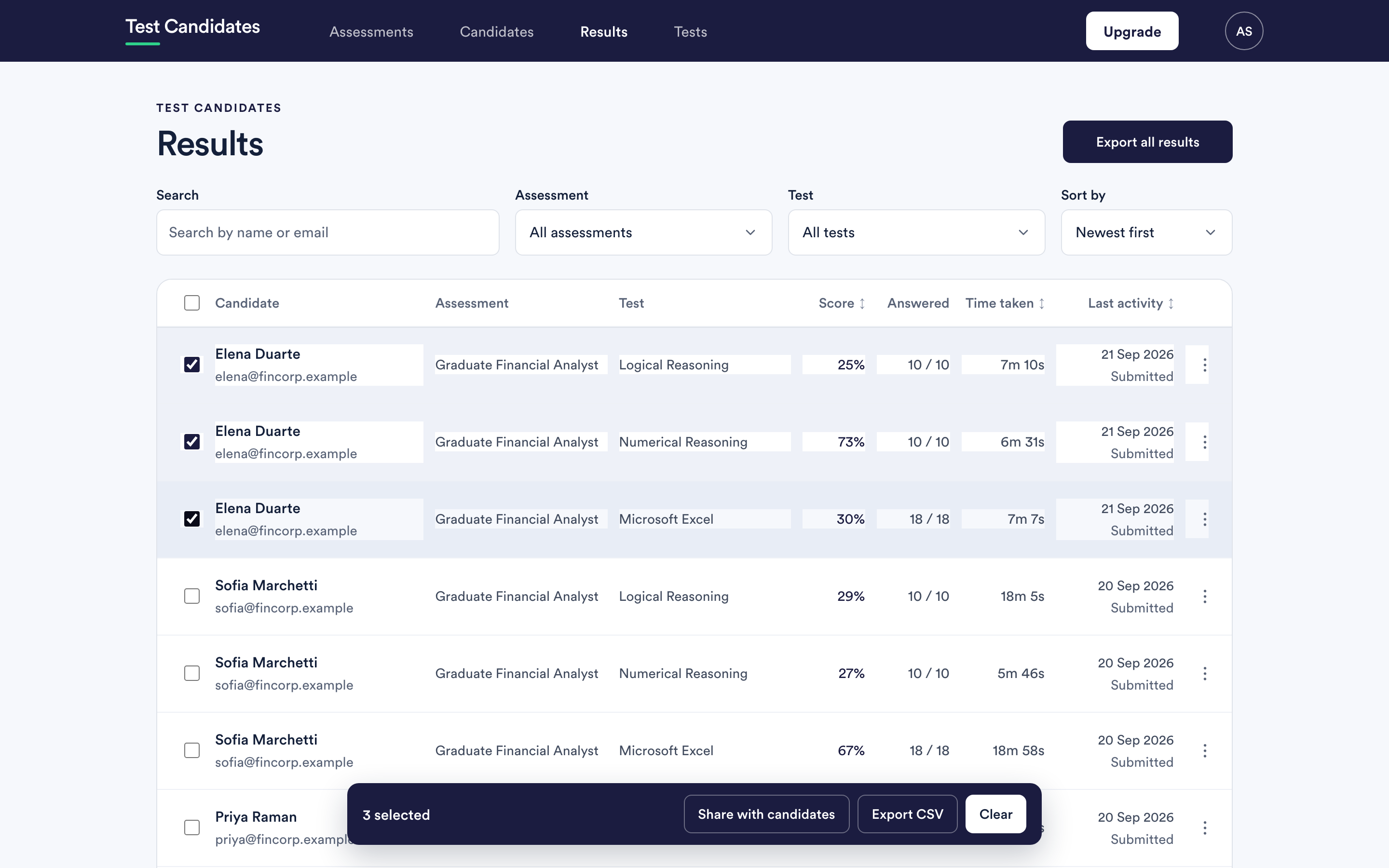
Select the rows you want on Results and choose Unlock. The page tells you how many of the selected rows are locked before you commit.
A single row can be unlocked from its own actions menu with Unlock result.
What unlocking a candidate costs
One candidate, once, however many tests are in their assessment. Unlocking a second test for someone whose first test you already unlocked costs nothing extra. See when a candidate is charged.
That is worth knowing when you are choosing which rows to unlock: unlocking every test for a candidate you have already paid for is free, and unlocking one test each for ten new candidates is ten candidates.
What unlocking does not do
It does not tell the candidate anything. Sharing a result with a candidate is a separate, deliberate action. See share results with candidates.