Results arrive per test, as each one is submitted, not in one batch at the end. A candidate part way through an assessment already has readable results for the tests they have finished.
They show up within the hour of a test being submitted, usually much sooner.
The three places results appear
On the assessment. Open the assessment and the candidates for that role are listed below its tests, with their progress and their score so far. This is the view for thinking about one role.
Candidates. Everyone across every assessment you can see, in one list, with filters for assessment, progress and the decision you have recorded. This is the view for thinking about one person.
Results. One row per test taken rather than one per person.
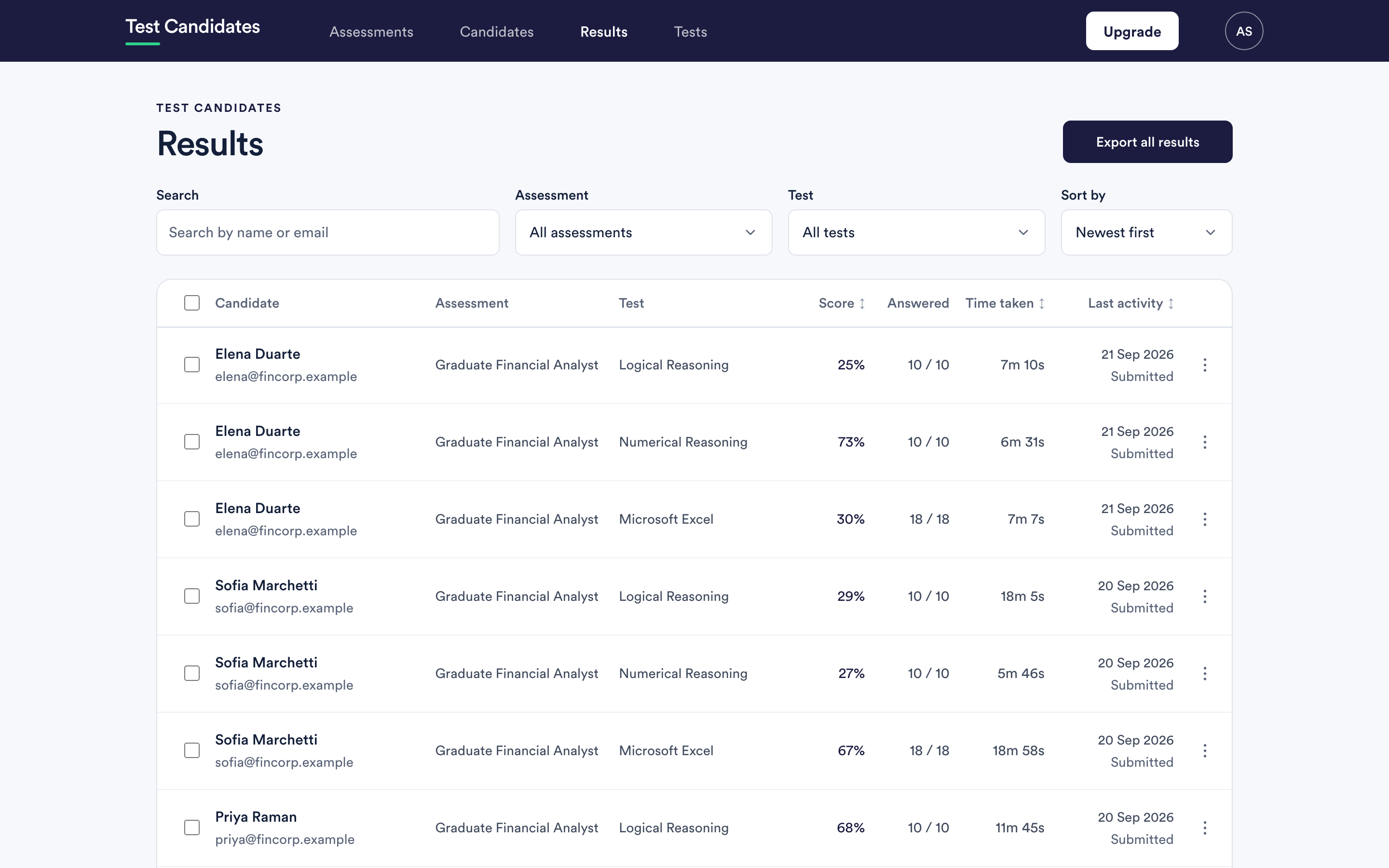
Use Results when you want to look across a single test, unlock several results at once, or export.
The progress labels
| Label | What it means |
|---|---|
| Invited | You emailed them. They have not registered. |
| Registered | They have an account on your assessment but have started nothing. |
| N of M tests | They are part way through. |
| Completed | They have submitted every test in the assessment. |
A candidate can sit at "N of M tests" for a long time quite legitimately. The assessment is taken in their own time.
Locked scores
A score showing as Locked means the result exists but has not been unlocked for your organisation, which happens when your free allowance is used and there is no prepaid balance or card. Nothing is lost and nothing expires. See unlock results.
If a result has not appeared
Give it an hour, then work through a candidate's results have not appeared. The usual answer is that the candidate has not actually submitted, or that they registered with a different address from the one you invited.