Results and reporting
Read profiles, compare candidates, export and share.
-
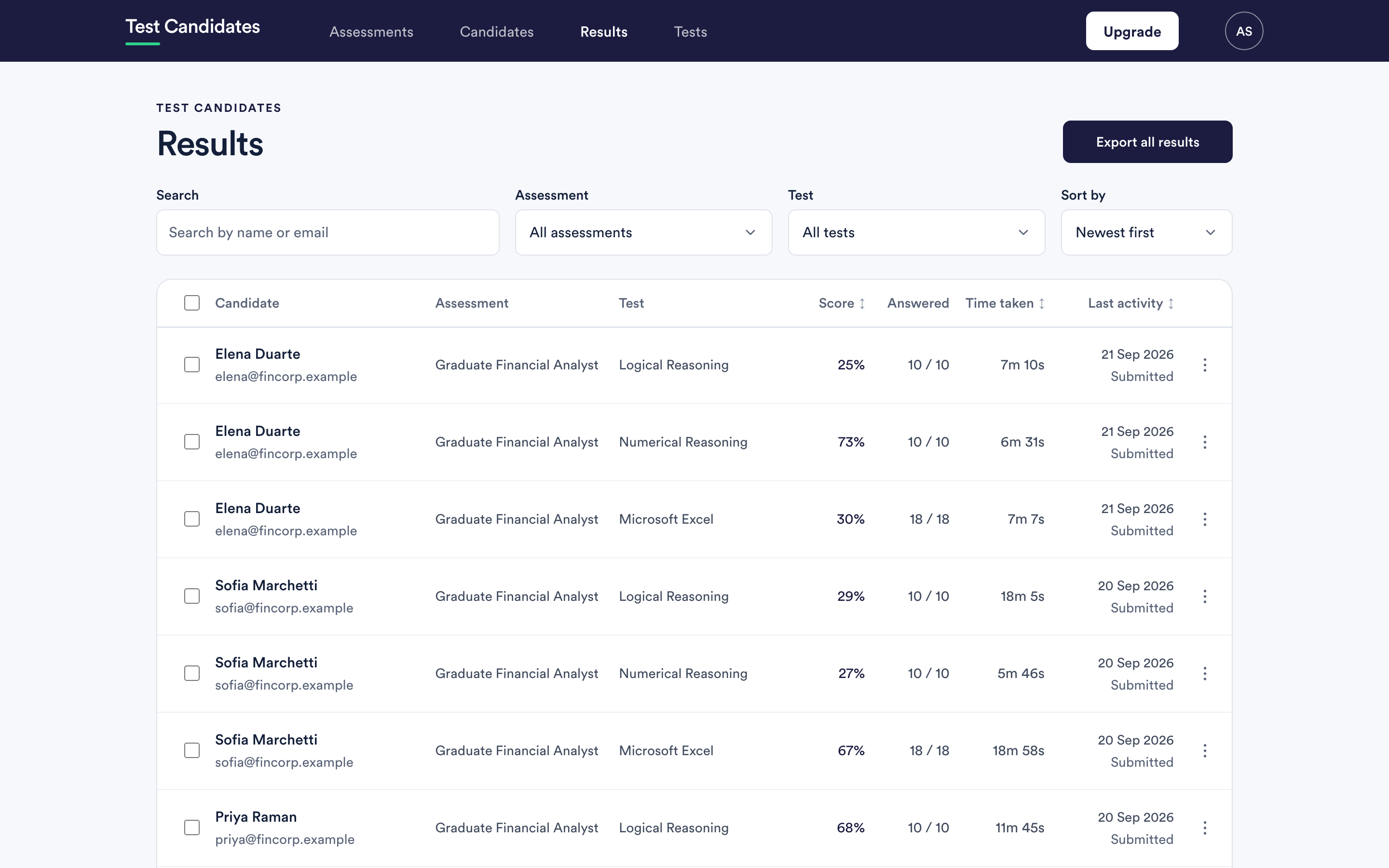 Where results appear, and when
The three places a result shows up, how long it takes to arrive, and what the progress labels mean.
Where results appear, and when
The three places a result shows up, how long it takes to arrive, and what the progress labels mean.
-
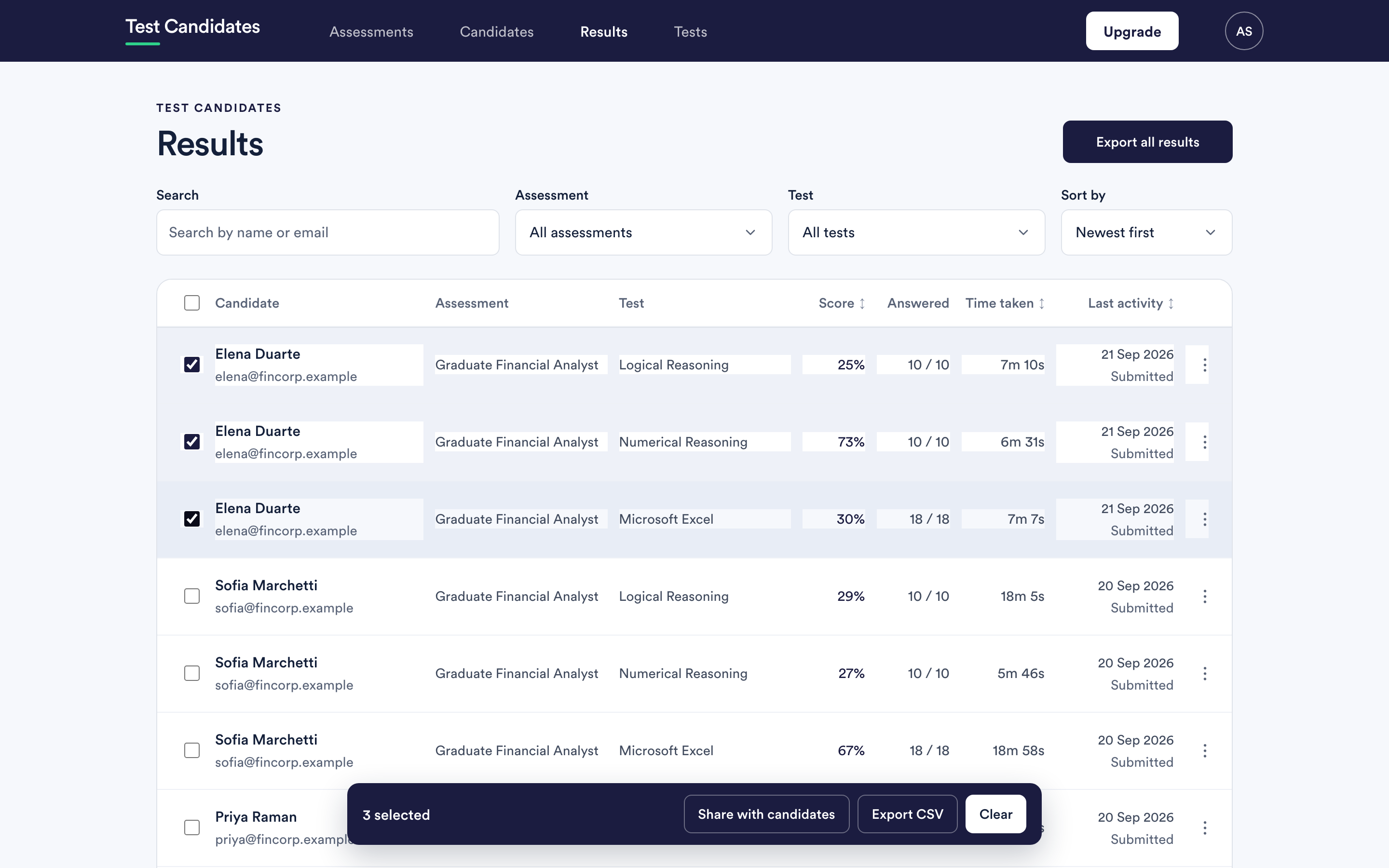 Unlock results
What Locked means, when results unlock by themselves, and how to release a batch that is waiting.
Unlock results
What Locked means, when results unlock by themselves, and how to release a batch that is waiting.
-
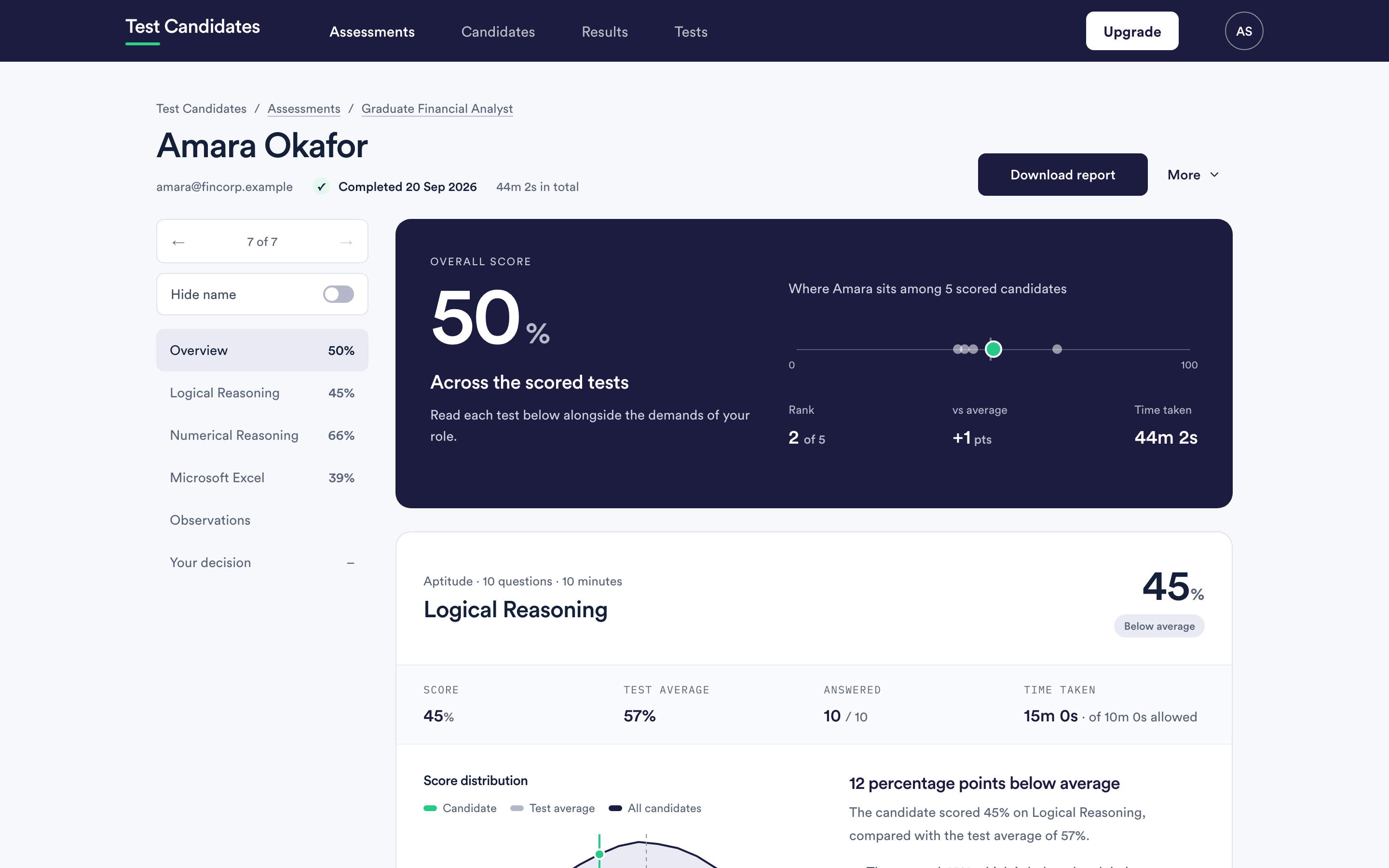 Read a candidate report
What each part of the report is telling you, including the answer-by-answer view, and how to read it without over-reading it.
Read a candidate report
What each part of the report is telling you, including the answer-by-answer view, and how to read it without over-reading it.
-
Scores, averages and rank
What a percentage actually is here, what it is compared against, and why there is no pass mark.
-
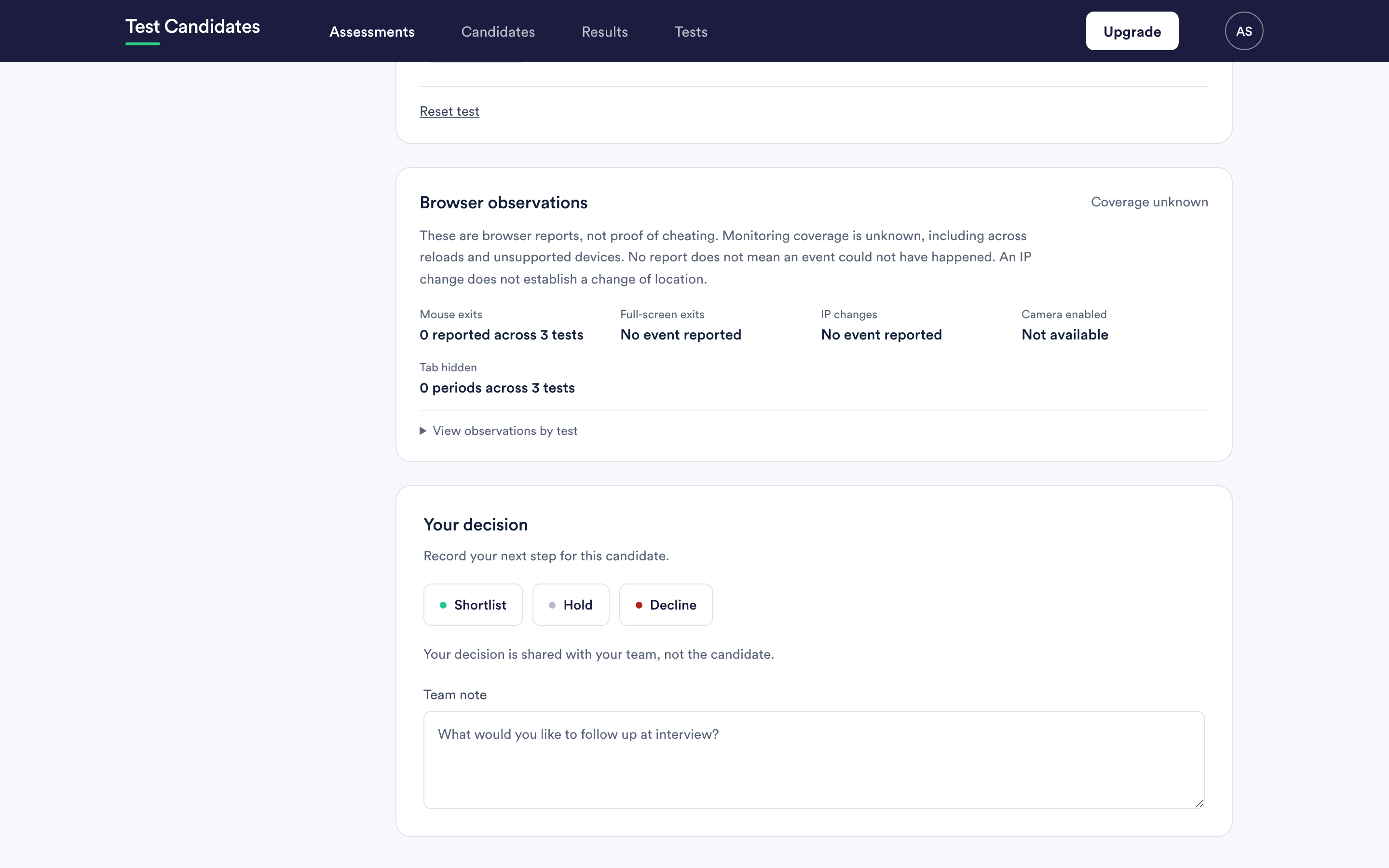 Record a decision and a team note
The four decisions, who can see them, and how to use the note so a shortlist still makes sense in a month.
Record a decision and a team note
The four decisions, who can see them, and how to use the note so a shortlist still makes sense in a month.
-
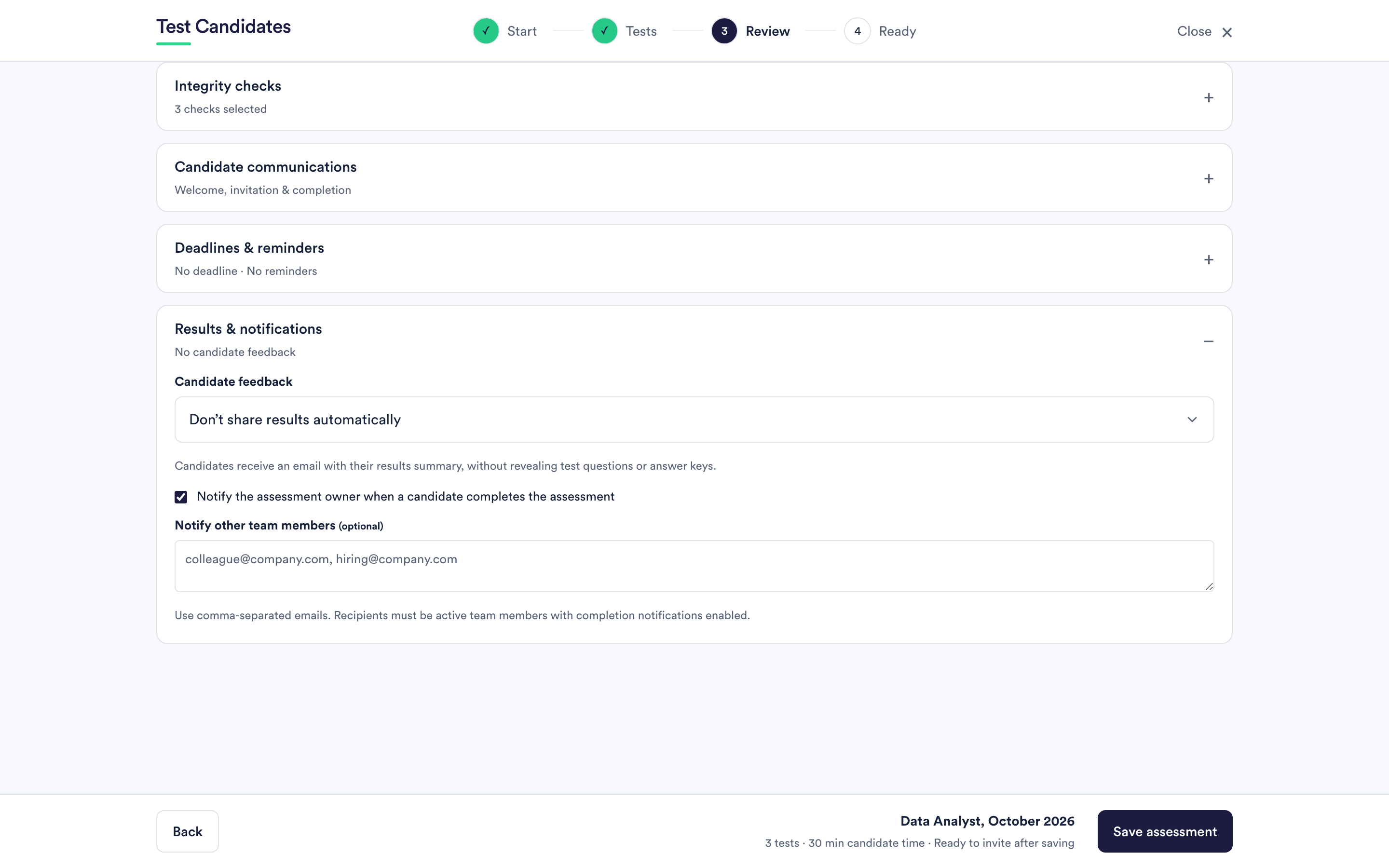 Share results with candidates
The three feedback settings, how to send a result to one person, and what a candidate actually receives.
Share results with candidates
The three feedback settings, how to send a result to one person, and what a candidate actually receives.
-
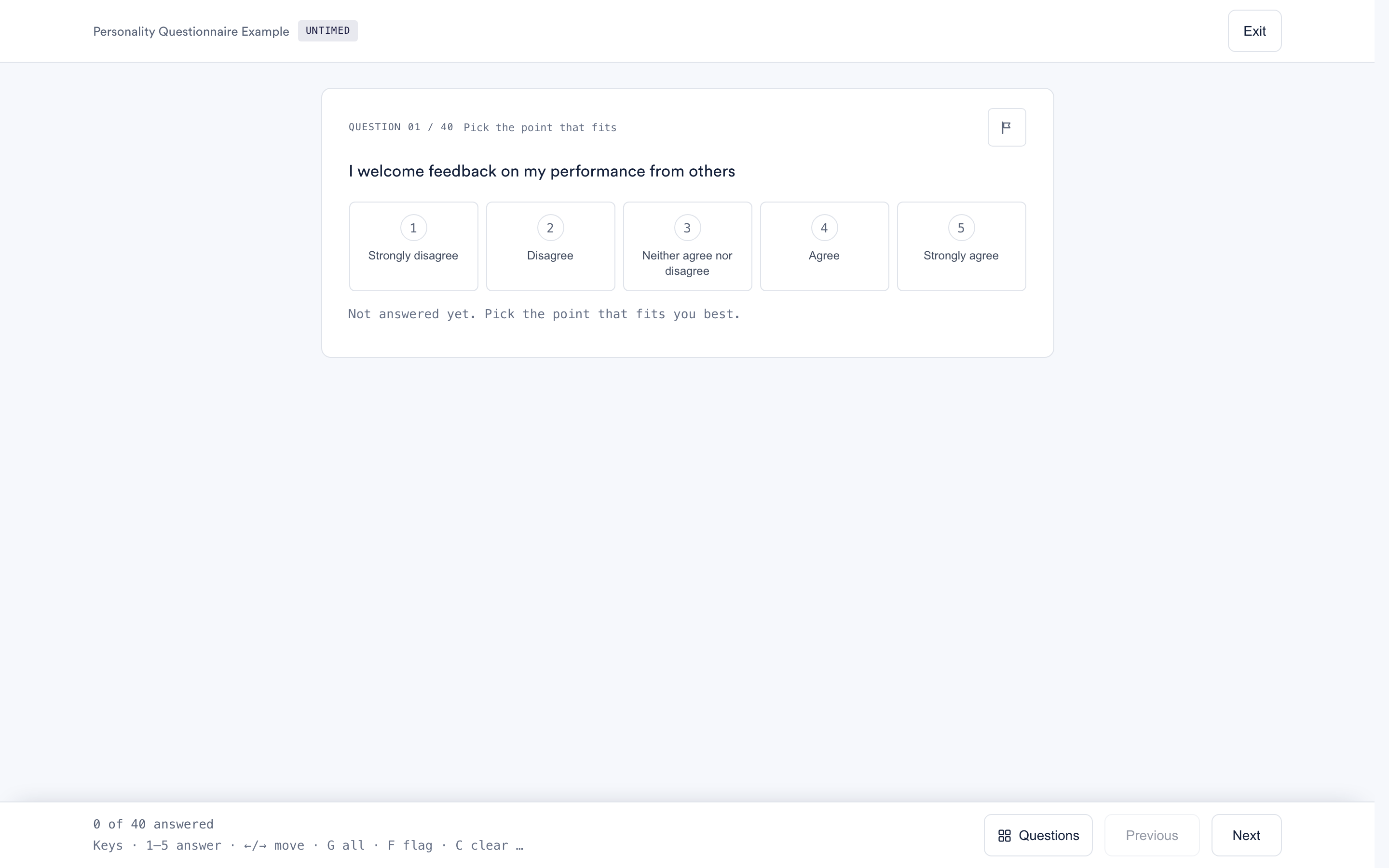 Interpret personality results
What the personality questionnaire reports, what a percentile on a trait means, and the mistake to avoid.
Interpret personality results
What the personality questionnaire reports, what a percentile on a trait means, and the mistake to avoid.
-
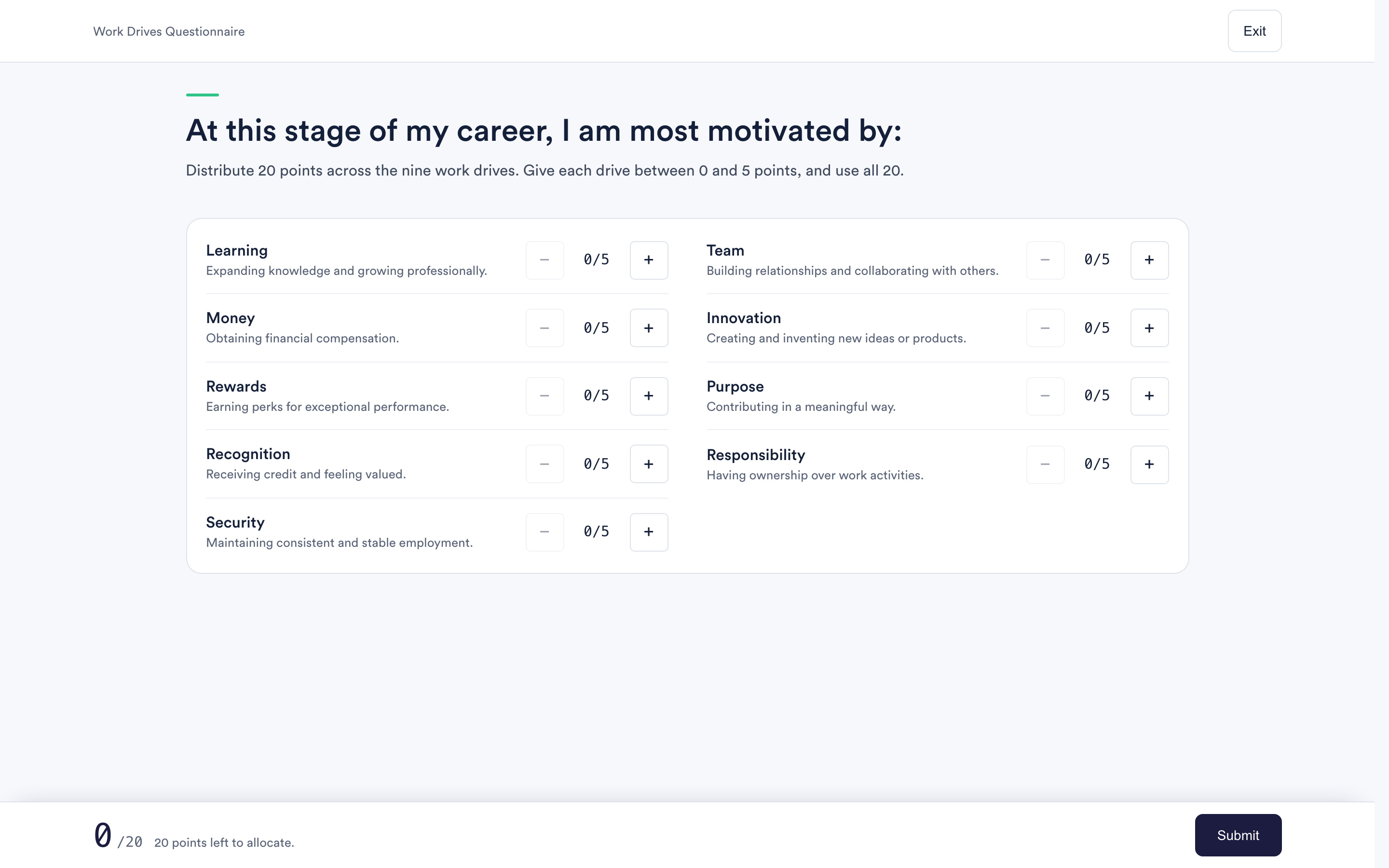 Interpret drives results
What the drives questionnaire asks candidates to do, why the scores add up to a fixed total, and what that means for reading them.
Interpret drives results
What the drives questionnaire asks candidates to do, why the scores add up to a fixed total, and what that means for reading them.
-
 Compare candidates side by side
How to put a shortlist next to each other, what the highlighting means, and the trap in comparing on the overall score.
Compare candidates side by side
How to put a shortlist next to each other, what the highlighting means, and the trap in comparing on the overall score.
-
Download and export results
The PDF report, the CSV exports, and which one to use for a hiring manager, a spreadsheet or a record.