At the bottom of every candidate report there is a decision and a note. They are the quiet, useful part of the product.
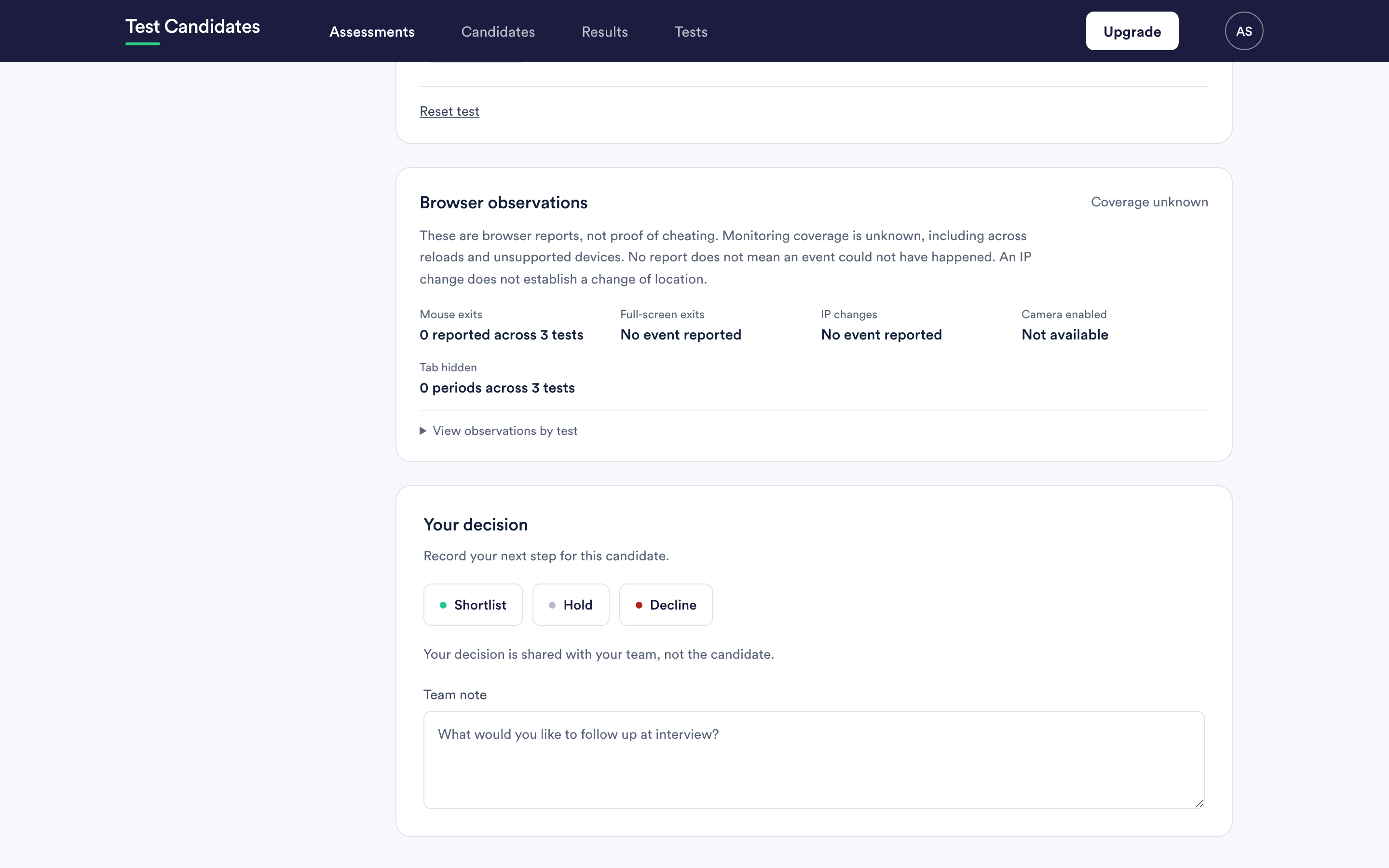
The three decision buttons
Shortlist, Hold and Decline. Choosing one records it; choosing it again clears it.
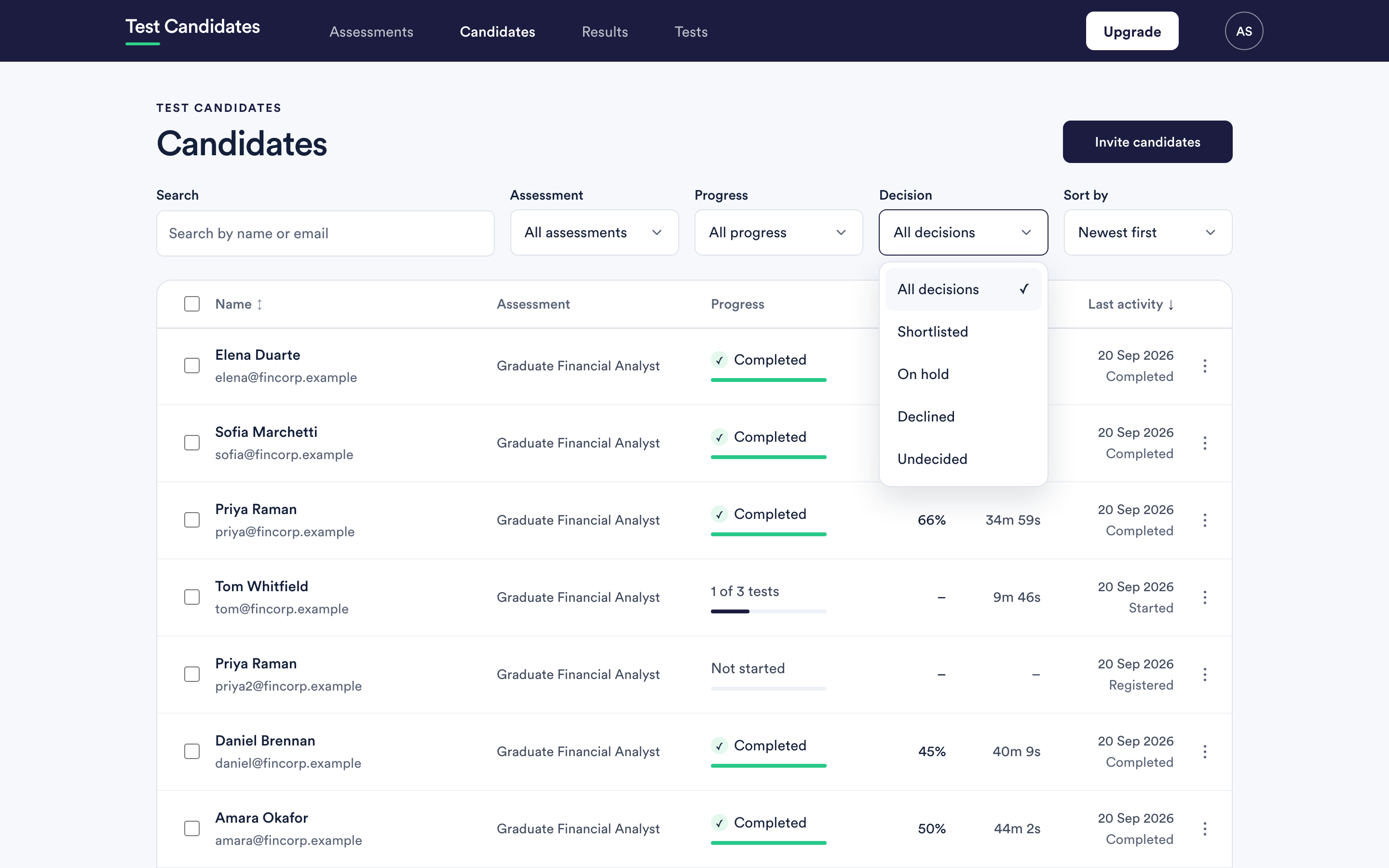
A candidate you have not decided about is undecided, which is the state everyone starts in rather than a fourth button. The report shows a dash, and the Candidates list has an Undecided filter so you can find everyone you have not got to yet.
Use that filter before a deadline. A shortlist built from "we never got round to the rest" looks exactly like one built from judgement, and only one of them is safe to act on.
Who sees a decision
Your decision is shared with your colleagues, not the candidate. Everyone in the workspace who can see that assessment can see it, and nobody outside the workspace can. A candidate will never see that you marked them declined, and nothing you write in the note reaches them.
That does not make the note private in any wider sense. Write it as though it might be read in a grievance or a subject access request, because it might be. Comment on evidence and on the role, never on the person.
The team note
The field is prompted with what you would follow up at interview, and that is a good use of it. So is recording why you decided what you decided.
A useful note answers one of:
- What in this report made the difference.
- What you want to test in the interview because the assessment could not.
- What the candidate should be asked about a specific result.
"Strong on the numerical test but ran out of time on the last four questions, ask how they prioritise under pressure" is worth writing. "Good" is not.
Filtering by decision
The Candidates list filters by decision: shortlisted, on hold, declined and undecided. That is how a shortlist becomes a list you can work from, and how you find the people you left undecided before the deadline.
Changing your mind
Decisions are not final and changing one leaves no scar. A candidate moved from declined to on hold simply shows as on hold.
What a decision does not do
It does not email anyone, move anyone to a stage, or trigger anything. Telling a candidate the outcome is your job, done in your own words.