Open a candidate from Candidates, from the assessment, or from View report on a result row.
The top of the report
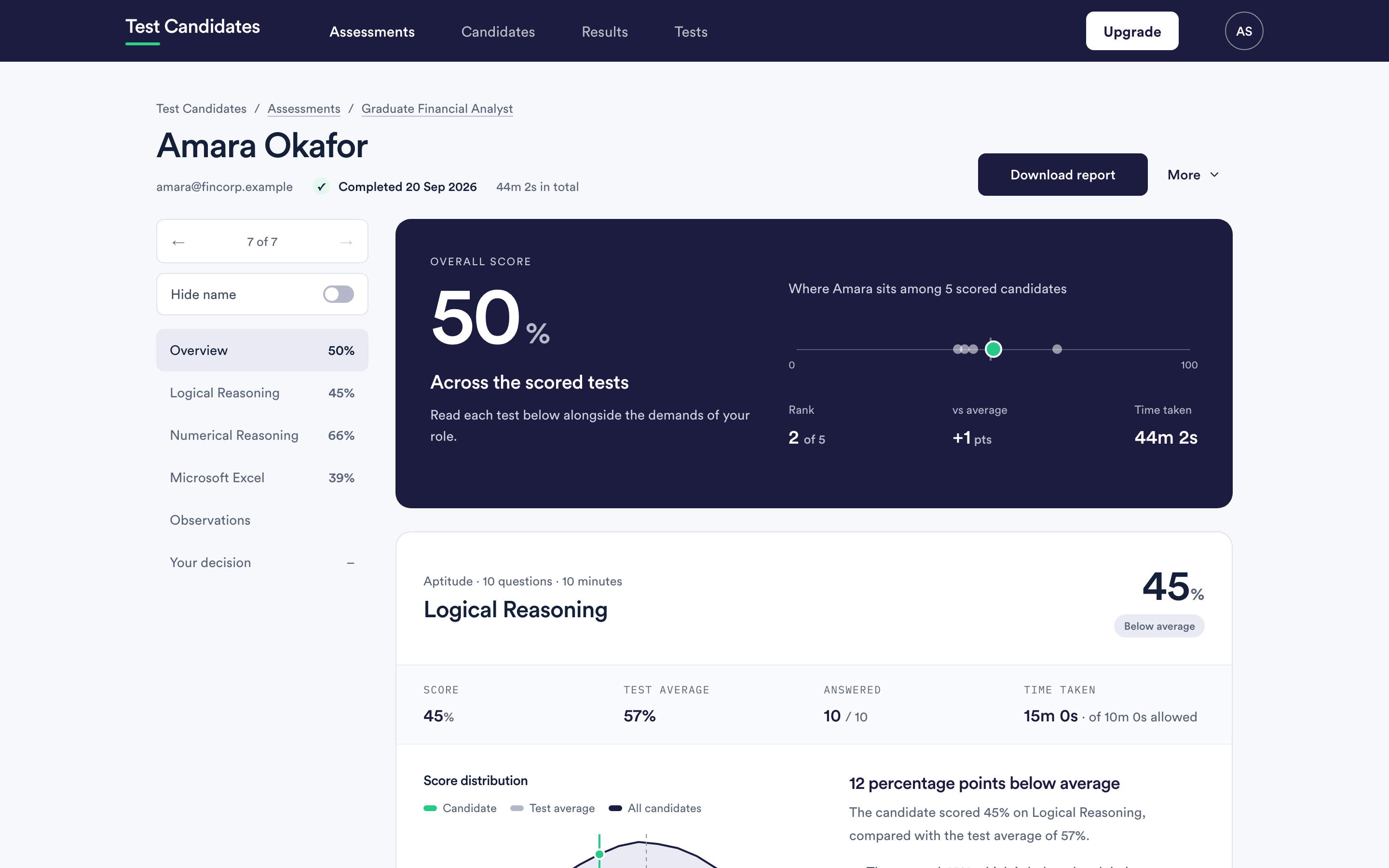
Overall score, averaged across the scored tests. Personality and drives are not scored and are not in this number.
Rank, as a position among the candidates on this assessment who have a score. It moves as more people finish.
Versus average, in points, against the other candidates on this assessment.
Time taken, in total.
If the assessment contains only personality or drives, there is no overall score and the report says so rather than inventing one.
The section for each test
Below that, one section per test, with the score and a short interpretation. Use the result history control where a test has been taken more than once.
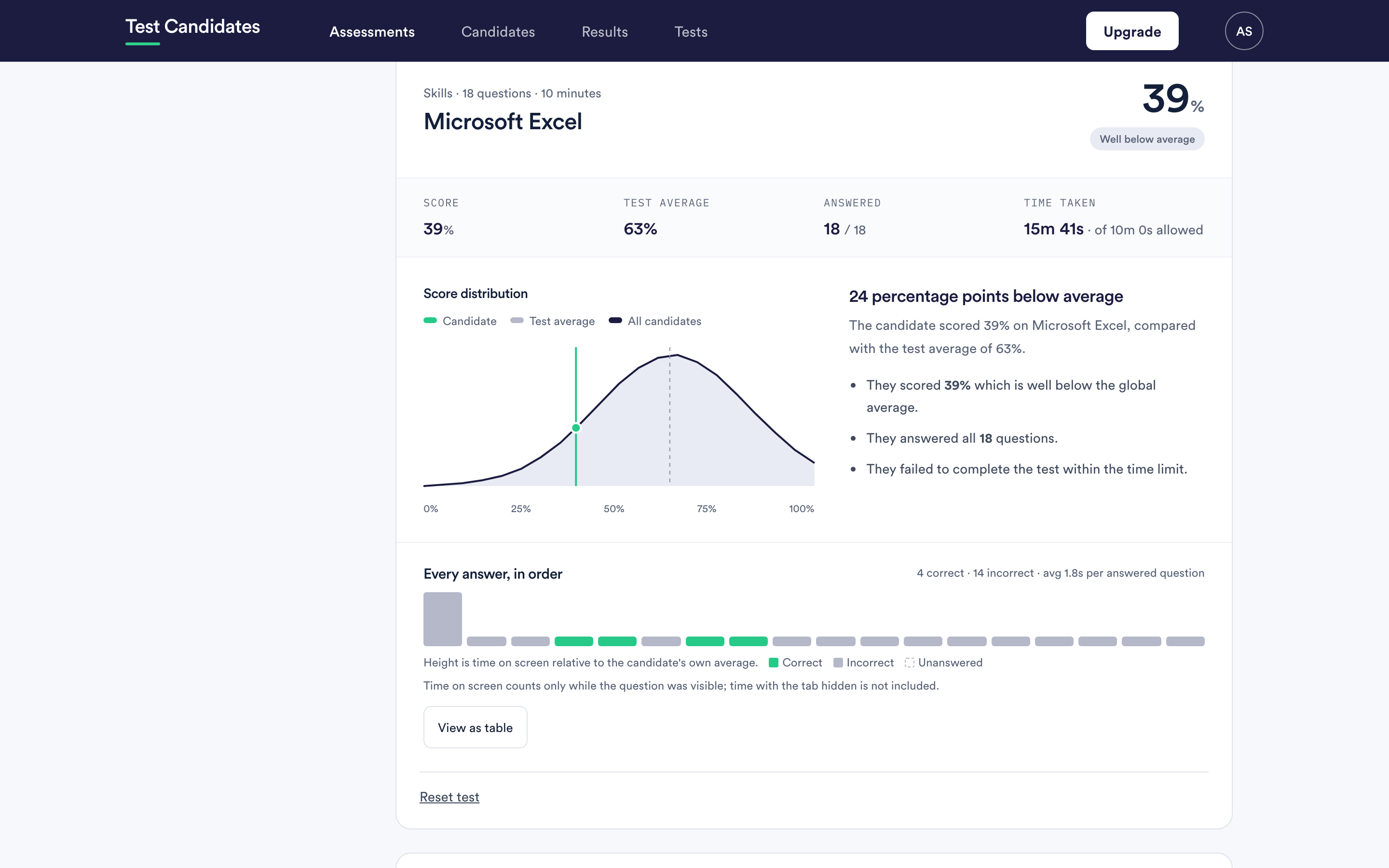
Every answer, in order
The most useful part of the report and the most often missed.
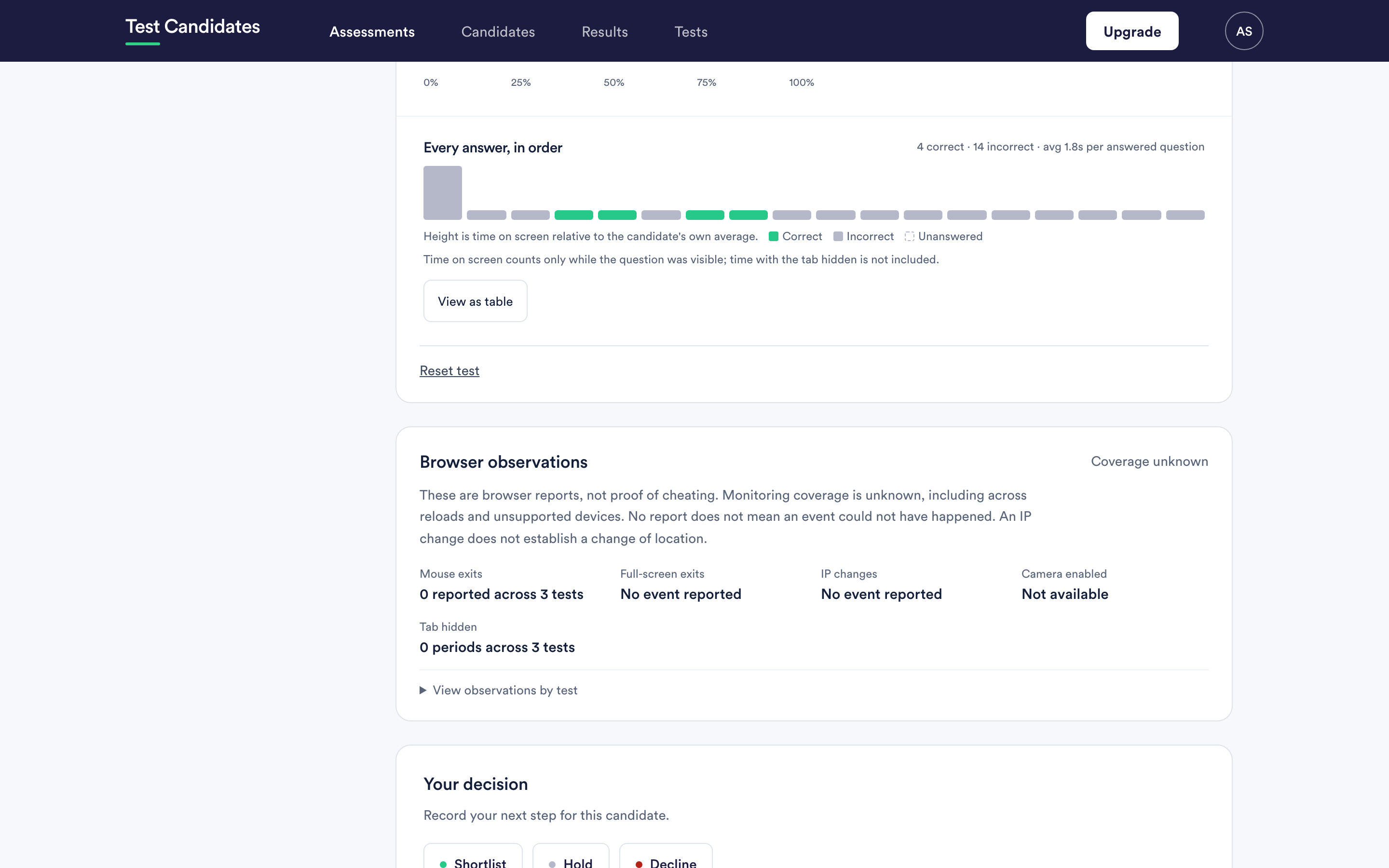
Each question is a bar: correct, incorrect or unanswered, with the height showing how long the question was on screen relative to that candidate's own average. There is a table view underneath if you prefer numbers.
Some tests, such as Situational Judgement and Decision-Making, ask for the most and least effective response on each question, so each question carries two marks. The chart draws each question as a pair of bars, one per mark, so a question with one pick right shows one correct bar and one incorrect bar. The counts above the chart are in marks, which is what the score is out of.
What it is good for:
- Ran out of time looks like a run of unanswered questions at the end.
- Guessed the last few looks like a run of fast answers at the end.
- Got stuck looks like one very tall bar with the rest of the test rushed.
- Steady throughout looks like even bars, which is usually what you want.
Two candidates with the same score can have completely different charts, and the difference often matters more than the score.
Time on screen counts only while the question was visible. Time with the tab hidden is not included, so the numbers are not a measure of total elapsed time.
Reviewing reports blind
Hide name replaces the candidate's name with "Candidate" throughout the report. Use it when you want to read the evidence before you read the person.
Moving between candidate reports
Arrows at the top move to the previous and next candidate in the same cohort, which is the quickest way to read a shortlist end to end.
What the report does not establish
The product says this on every test guide and it is worth carrying into your notes: a score does not by itself establish technical competence, creativity, communication skills or likely job performance, and it does not explain why a candidate found a question hard. Read it next to everything else you know.