Every candidate row has Remove candidate in its actions menu, alongside View report and, for anyone who has not finished, Send reminder.
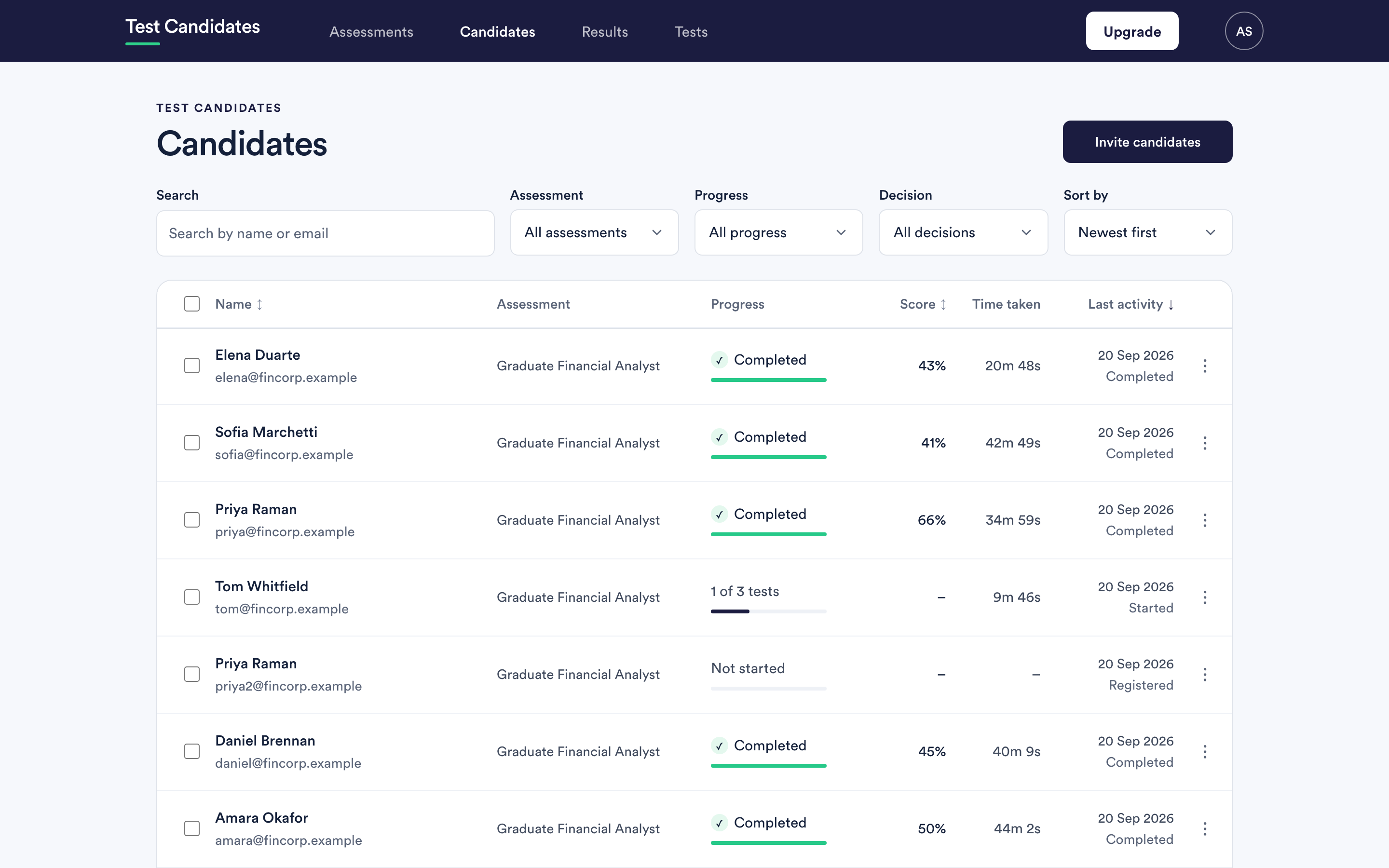
Only admins can remove a candidate. Members can still remove an invitation that has not been used yet.
What removing a candidate does
It takes them off the assessment. They stop appearing in your lists, they are not reminded, and their link no longer brings them into that assessment.
What removing does not do
- It does not refund a charge. If their results had already unlocked, the candidate has been counted. Removing them afterwards does not give the credit back. See refunds.
- It does not tell them anything. No email is sent. If a candidate should know they are out of the process, that is a message from you.
- It is not a way to withdraw an invitation already read. The email has arrived. Removing the row stops the link working, and a candidate who then clicks it will be confused. Where the invitation went to the wrong person, it is kinder to email them and say so.
Removing a duplicate candidate
If the same person appears twice, usually because they registered with two addresses, remove the empty one and keep the one with results. If both have results, keep the one you intend to act on and note why in the team note on the one you keep.
The invitation screen already prevents the common case: an address already on the assessment is skipped rather than invited a second time.
Fixing a wrong email address
If you invited the wrong address, remove that invitation and invite the right one. Nothing has been charged, because nothing has been completed.
If a candidate has already started under an address with a typo, do not remove them: their work is attached to that record. Let them finish, and note the correct address in the team note on their report.
Deleting the underlying data
Removing takes someone off an assessment. If a candidate asks you to delete their personal data entirely, that is a request under data protection law and it needs to reach us: email support@testcandidates.com with the assessment and the address. The candidate can also ask us directly, and the candidate help centre tells them how.