Account menu, then Billing and usage.
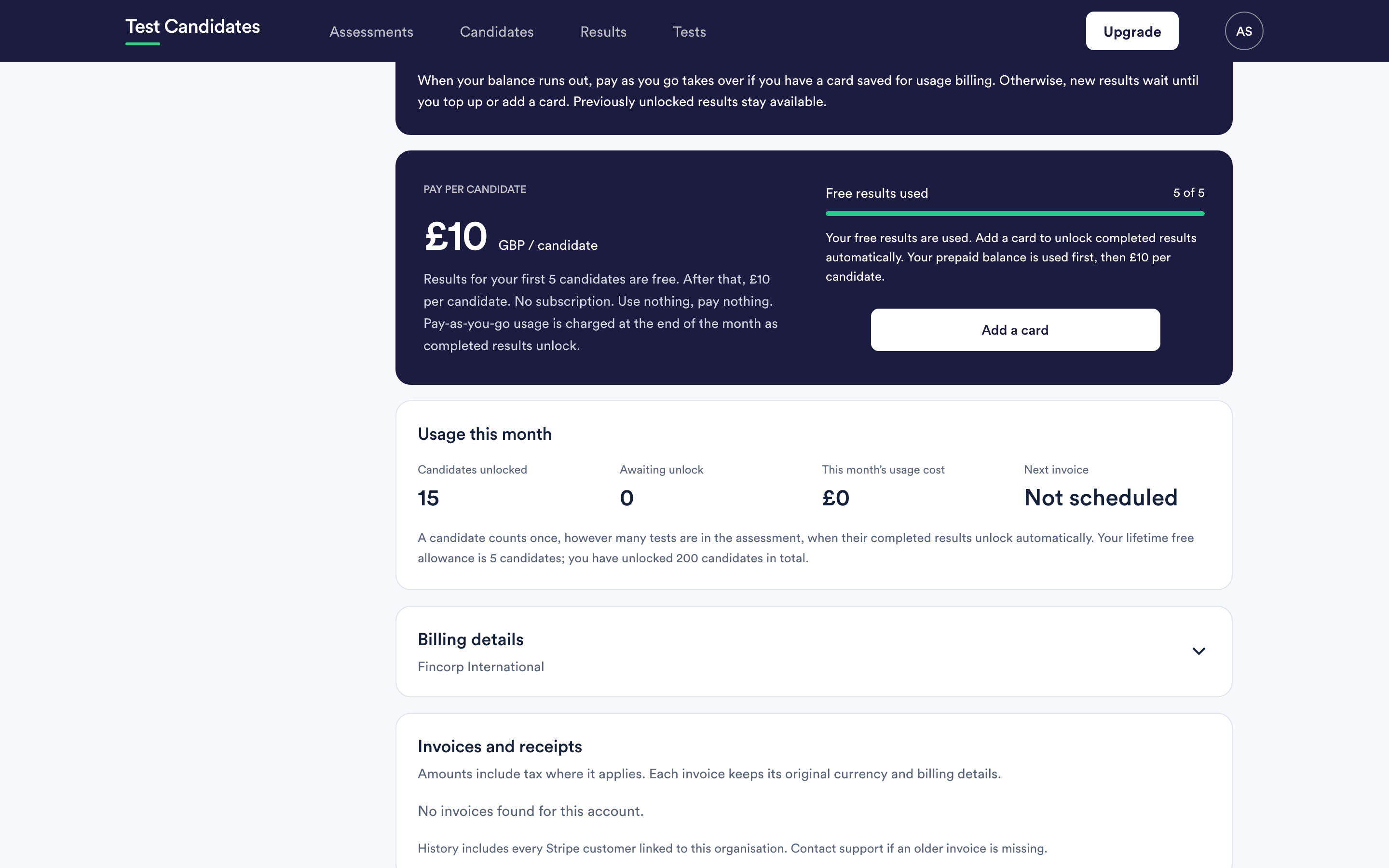
What the numbers mean
Free results used. How much of your permanent free allowance has gone, out of the total. It does not reset.
Your prepaid balance. Candidates bought in advance and not yet spent. It never expires.
Candidates unlocked. How many candidates have been counted this billing month.
Awaiting unlock. Candidates who have completed something but whose results have not unlocked. If this is not zero, results are waiting for you. It is the number to watch.
This month's usage cost. What has accrued so far under pay as you go. It does not include anything covered by your free allowance or your prepaid balance.
Next invoice. The date your usage will be invoiced, or "not scheduled" if there is no pay-as-you-go usage to invoice.
There is also a lifetime line showing how many candidates you have unlocked in total, which is the honest measure of how much use you have had out of the account.
Awaiting unlock is not zero
Something is stopping results unlocking automatically: your free allowance is used, your prepaid balance is empty, and there is no card on file.
Add a card, or buy a pack, and they are released. You can also unlock specific results directly from the Results page. See unlock results.
Nothing is lost while it waits and nothing expires.
A balance running low
You get a notice on the billing page when your prepaid balance is low. It tells you the balance is low. It does not tell you to buy anything, and there is no automatic top-up, so nothing will be charged without you choosing to.
Reconciling with an invoice
Take the figure from the invoice, not from this page. The usage number moves as candidates finish during the month; the invoice is the settled version. See invoices and VAT.
If the two disagree in a way you cannot explain, email support@testcandidates.com with the invoice number.
Who can see your usage
Admins only. Billing and usage is shared across the whole workspace, and members do not see it. See what admins and members can see.