Everything is on Billing and usage, at the bottom.
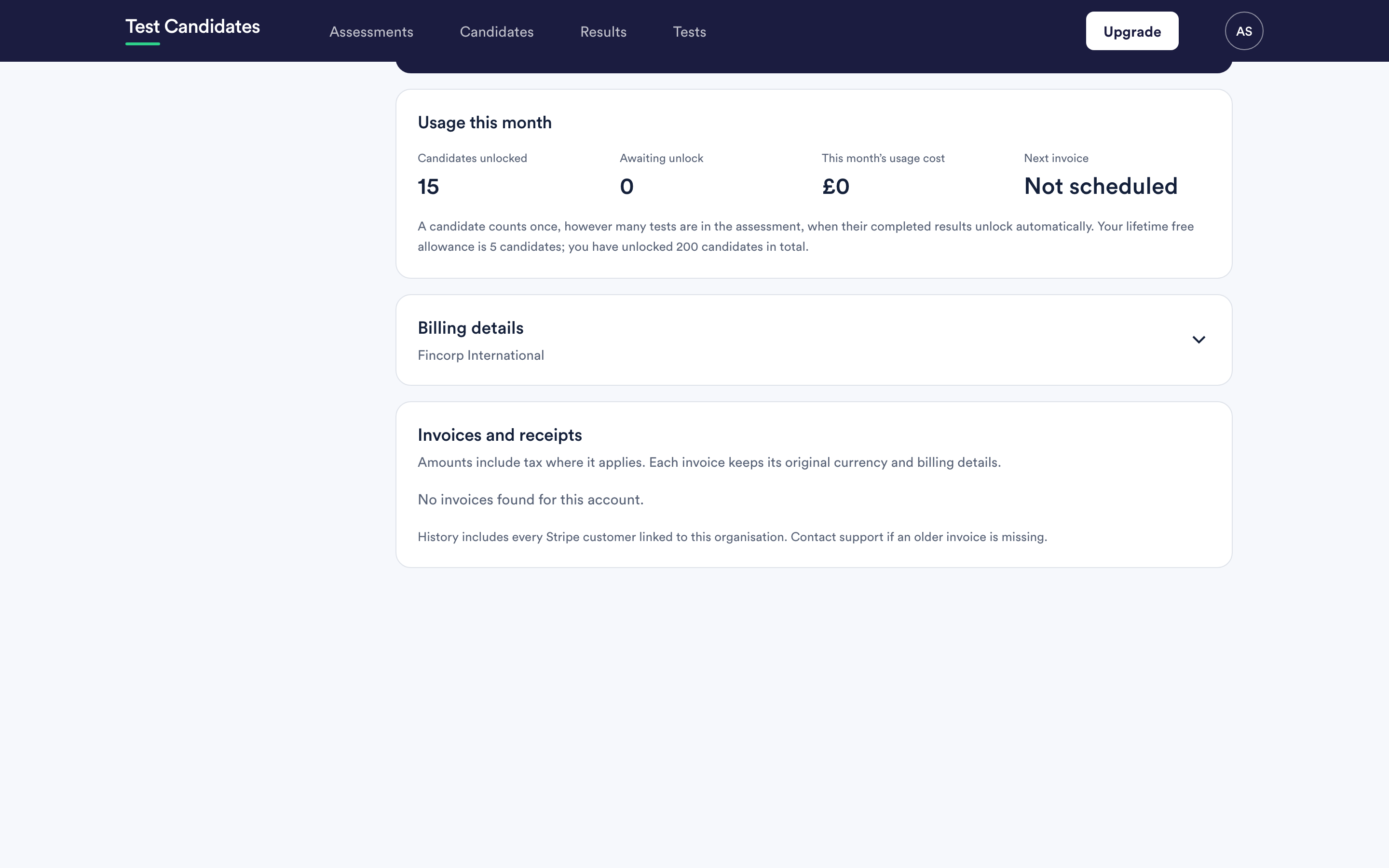
What produces an invoice
- A pack purchase, at the moment you buy it.
- Pay-as-you-go usage, at the end of each month in arrears.
Months with no usage produce no invoice. There is no subscription and no standing charge.
Getting your details onto an invoice
The company name, address and any tax registration number that appear on an invoice are set on the billing page, not in company settings. They are a separate thing for a separate audience.
Set them before you buy anything. An invoice records the details as they were at the time it was issued, and it is not restated afterwards. Getting your tax number on later invoices is easy; getting it on one already issued is not.
This matters most for the first pack purchase, which is usually the largest payment on the account.
VAT and tax on invoices
Amounts include tax where it applies, shown separately on the invoice. If you are a business in a jurisdiction where a valid tax registration number changes the treatment, put yours on the billing page and it is applied to invoices issued from then on.
We cannot give you tax advice. What appears on the invoice is what our payment processing applies, and your accountant is the right person to tell you how to treat it.
Sending invoices somewhere else
If your finance team should receive them rather than you, set the invoice recipient on the billing page. Accounts payable rarely wants to sign in to a hiring tool.
A missing invoice
Older invoices are listed alongside new ones, including ones issued before a change of billing details or currency. The list covers every payment record linked to your organisation.
If something you expected is genuinely not there, email support@testcandidates.com with the date and the approximate amount and we will find it.
Reconciling invoices with usage
Compare the invoice against the usage figures on the same page. The usage number moves during the month as candidates finish; the invoice is the settled version and is the one to book. See check your usage and balance.
If the two disagree in a way you cannot explain, the most common reason is a candidate who counted earlier than expected, because a candidate counts on their first completed test, not on finishing the assessment. See when a candidate is charged.