You can fix this yourself, and you do not need to contact the employer to do it.
Get a new link
- Go to find your assessment.
- Enter the email address the company invited you on. This matters: if you enter a different address we will not find your assessment, because the invitation is attached to the address the employer used.
- Check your inbox. If that address has an assessment waiting, we send a fresh link straight away. Opening it signs you in.
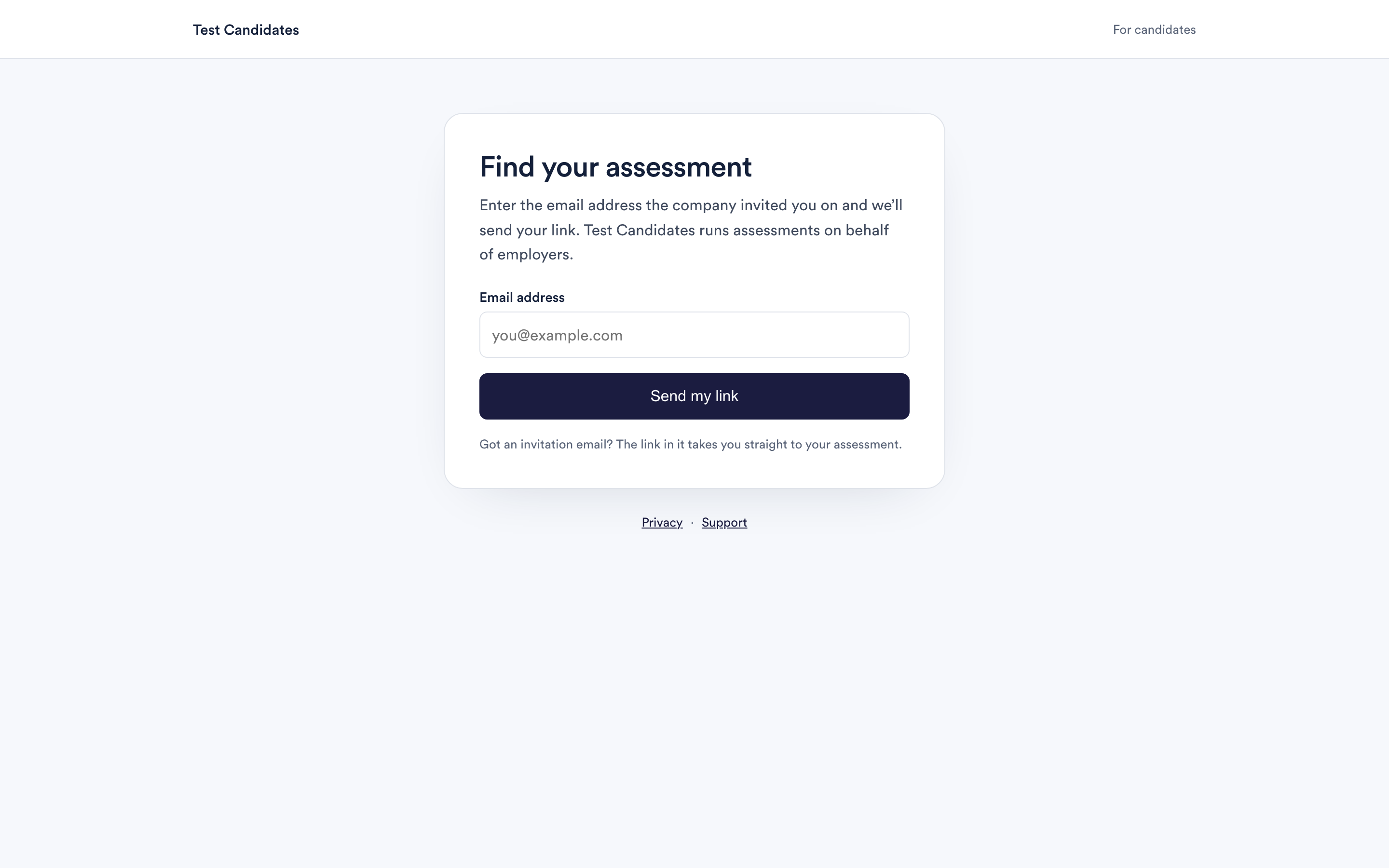
The page will tell you it has emailed you. That message appears whether or not an assessment exists for the address, so it is not confirmation that you used the right one.
If no email arrives
Give it a minute first, then work through these in order.
- Check your spam or junk folder. This is the answer most of the time.
- Check the address. Use the one on the email the employer sent you, or the one you gave them when you applied. A personal address will not work if you applied with a work one, or the other way round.
- Try your other address. There is a link on the page to enter a different one.
- Ask the company that invited you to send your invitation again. If none of the above works, the employer can re-issue it. They can also tell you which address they used.
Why links stop working
Invitation links are single use and time limited, which is what stops someone else opening your assessment from a forwarded email. A link that has already signed you in once, or that has been sitting in your inbox for a while, will ask you to get a fresh one rather than letting you in. That is working as intended, and a new link takes a few seconds.
If your assessment has closed
Employers can set a deadline for an assessment. If the deadline has passed, a new link will not reopen it, because the decision is the employer's rather than ours. Contact the company that invited you and ask whether they can extend it. Their details are in the invitation email.
Something else has gone wrong
If the link works but the assessment itself will not load, or something failed part way through a test, that is a different problem and we can help with it directly. Email support@testcandidates.com and tell us what you saw.